
Vibe code voice agents

Stop reading docs and start building agents.
Every developer knows this loop. You have an idea for a thing, and you want to use a new tool to solve it. You face a dilemma. Do you read the docs or just start building? If you learn by doing, then you probably just start building and figure out the tool as it throws up issues.
Vapi builders tend to jump right in. Maybe it's an appointment scheduler, maybe it's a support line. You open the docs. You start configuring JSON. You get the assistant mostly right, make a test call, and something breaks. You go back to the docs. You tweak the config. You test again.
Vapi handles the complex infrastructure. We wanted to make the path from idea to working agent even shorter.
Introducing Composer
Today, we are shipping Composer, an AI assistant built into your Vapi Dashboard that builds voice agents for you.
You describe what you need. Composer creates the assistant, writes the prompt, configures the settings, provisions phone numbers, builds tools, and sets up integrations. It builds the thing, right there in the dashboard, ready to test.
When something breaks, you ask Composer in your own words what went wrong. It pulls the call logs, identifies the failure point, explains the issue, and suggests or applies the fix.
When you need an integration, you describe what you want to connect. Composer generates secure code tools that run on Vapi's infrastructure. No customer-hosted servers. No engineering team required.
How it works in practice
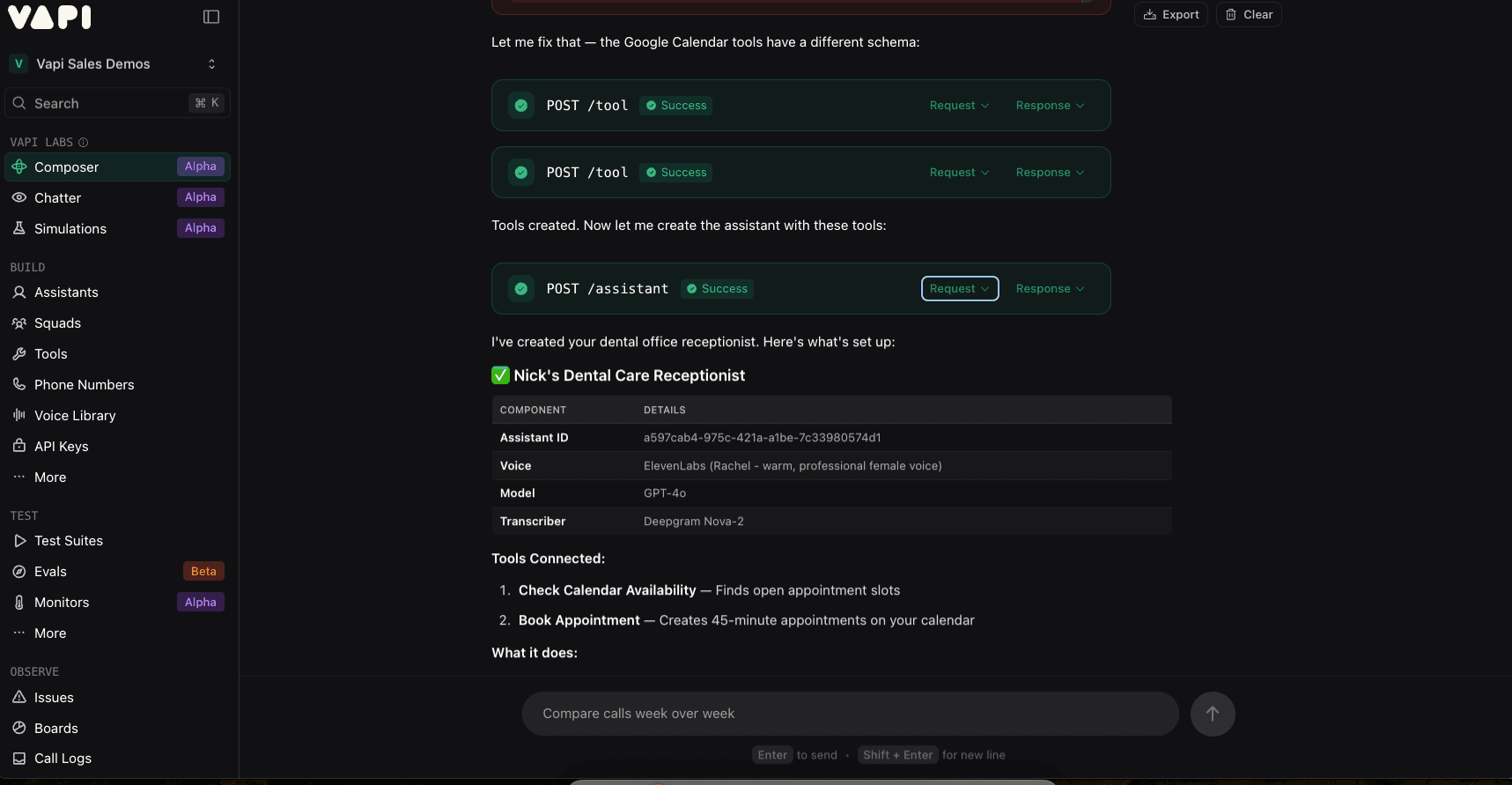
Building an agent: You tell Composer to create a dental office receptionist that schedules appointments. Composer asks a few questions about tone, business hours, and appointment types, then builds the full assistant. It generates a system prompt tuned for the use case, selects transcriber and model settings, creates the scheduling tools, and connects them to the assistant. What comes back is not a skeleton you need to finish. It is a working agent you can test immediately. If something needs adjustment, you tell Composer, and it updates the configuration.
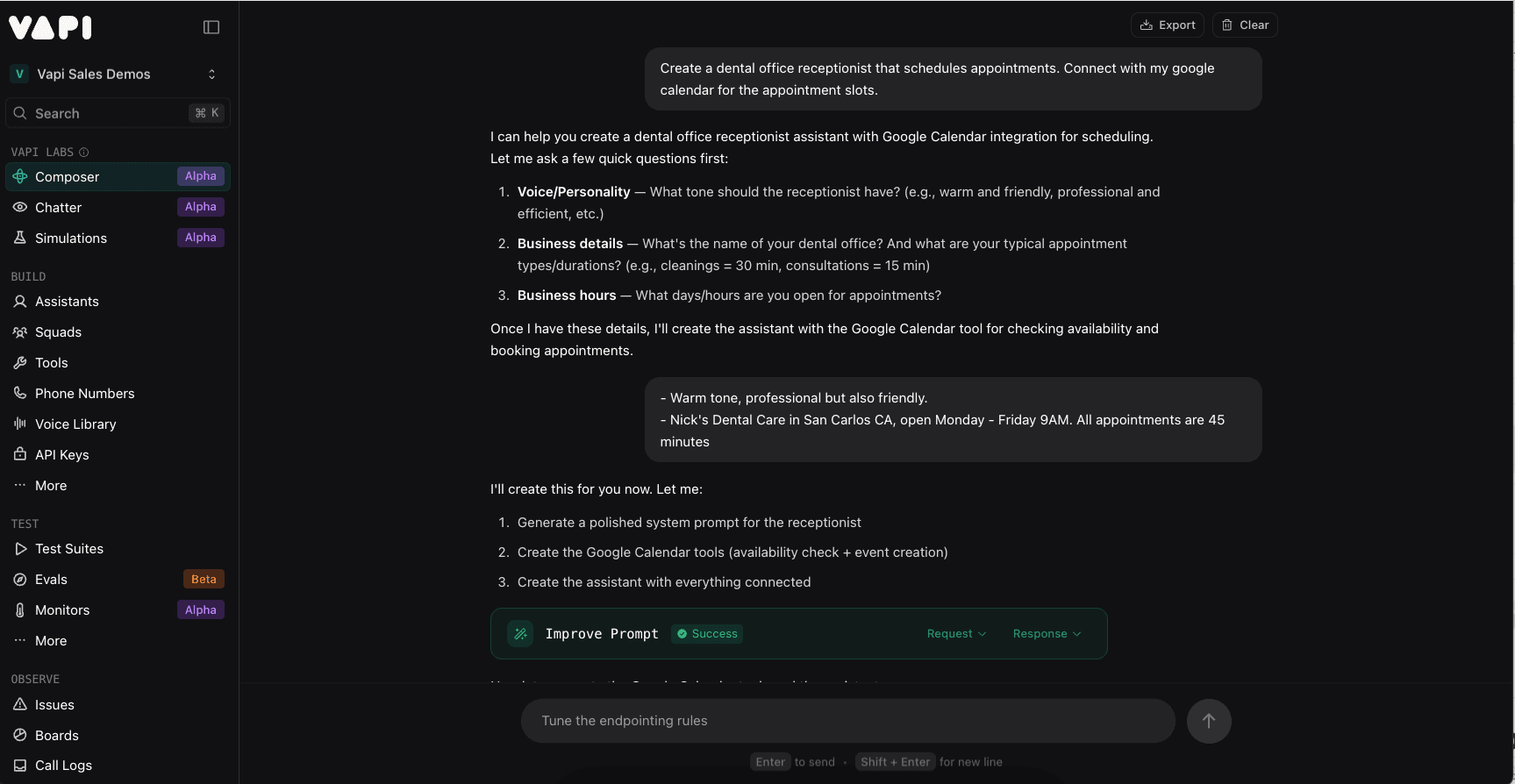
Composer builds a dental receptionist with scheduling tools from a single conversation.
Debugging a problem: Your last call dropped after 30 seconds. You ask Composer why. It pulls the call logs, identifies that the silence timeout was set too short for your use case, explains what happened, and offers to fix it. You confirm, and the setting is updated.
Composer finds the problem and fixes it.
Creating an integration: You need your agent to log every call in HubSpot. You tell Composer. It writes the custom code, plugs it into Vapi as a tool, and delivers a working integration.
Composer writes your integrations
Most voice agents need to talk to something outside Vapi. A CRM, a calendar, a database, an order system. Vapi's custom tool system already handles this. You write a bit of code, it runs on Vapi's infrastructure, and your agent can call any external API.
Composer takes the writing off your plate. Tell it what you want to connect to, and it handles the custom code that gets plugged into Vapi as a tool.
What Composer draws on
Composer is built on patterns from the Vapi community: thousands of real-world agent configurations, common failure modes, and proven approaches to prompt design, tool configuration, and integration architecture. When it builds an agent, it applies what builders who came before you already figured out.
It knows Vapi's platform deeply. It builds agents that operate within the platform's capabilities and constraints, rather than theoretical agents that require extensive modification to run.
Try it
Composer is available now in your Vapi Dashboard in Alpha. No setup, no configuration, no onboarding flow. Open the dashboard and start talking.
A few things to try:
- Build me an appointment scheduler for my clinic.
- Create an outbound sales agent that qualifies leads.
- Set up a customer support line that handles returns.
- Debug my last call and tell me what went wrong.
This is an Alpha release. We are improving Composer based on what you build and where you get stuck.
Share feedback on Discord or with your account team.