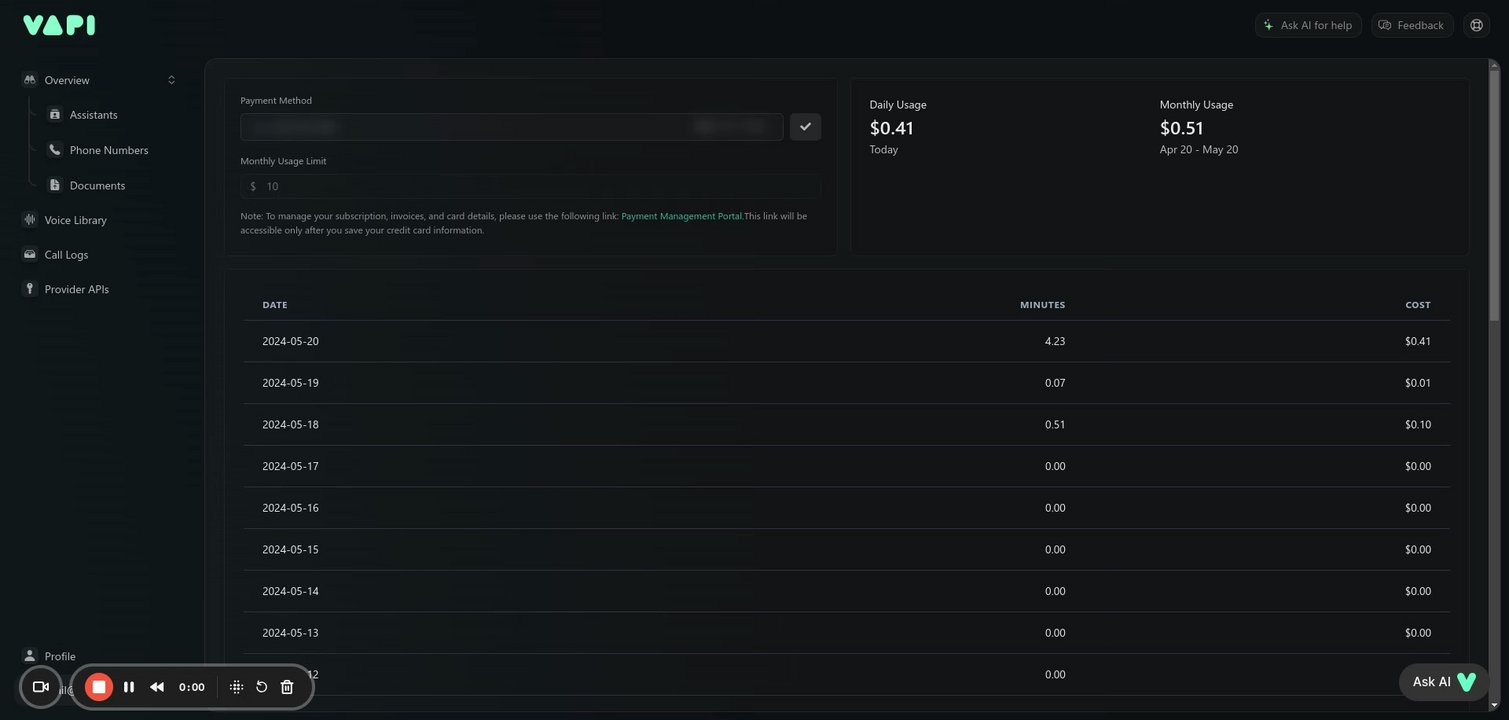
I am adding my card in the "Payment Method" in the dashboard. It asks for 3 digit ZIP. However, ZIPs in the US are 5-Digit. Also, what exactly is this ZIP? I have tried giving different combinations but it does not accept.
Vapi helps developers build, test, and deploy voice agents at scale. We enable everything in between the raw models and production, including telephony, test suites, and real-time analytics.
@Ozair Malik The ZIP code requested during the payment method setup is typically the postal code associated with your billing address. In the United States, ZIP codes are indeed usually 5 digits long. However, some systems may ask for the last 3 digits of your ZIP code, which is known as the ZIP+4 code.
If you're encountering issues with entering your ZIP code, please ensure that you are entering the ZIP code that matches the billing address for your card. If the system specifically asks for a 3-digit ZIP, it might be referring to the last three digits of your standard 5-digit ZIP code.
If you've tried this and it still doesn't accept the information, there might be an issue with the payment system or it could be a misunderstanding of the instructions. In that case, I would recommend reaching out to the support team for clarification on the exact format they need for the ZIP code. If you need assistance with contacting support or anything else, please let me know!
@Ozair Malik I'm sorry to hear that you're experiencing difficulties with this. It seems there might be a specific format required by the system that isn't being clearly communicated, or there could be a technical issue preventing the acceptance of your ZIP code.
Here's what you can do:
Double-check that you are entering the ZIP code associated with the billing address for your credit card.
Ensure that there are no spaces or dashes when entering the ZIP code.
If the system continues to reject the last 3 digits of your ZIP code, try entering the full 5-digit ZIP code.
Confirm that the rest of the billing information you've entered is accurate and matches your credit card details.
If none of these steps resolve the issue, it would be best to contact customer support for further assistance. They will be able to guide you through the process or resolve any system errors that might be occurring. Would you like me to help you get in touch with customer support?
In this quick guide, I'll show you how to easily add your credit card information. Simply navigate to the billing section, enter your card details, provide your pin code, and click the checkbox icon. It's a straightforward process that will allow you to conveniently manage your payments. No action is required from you, just watch and learn!