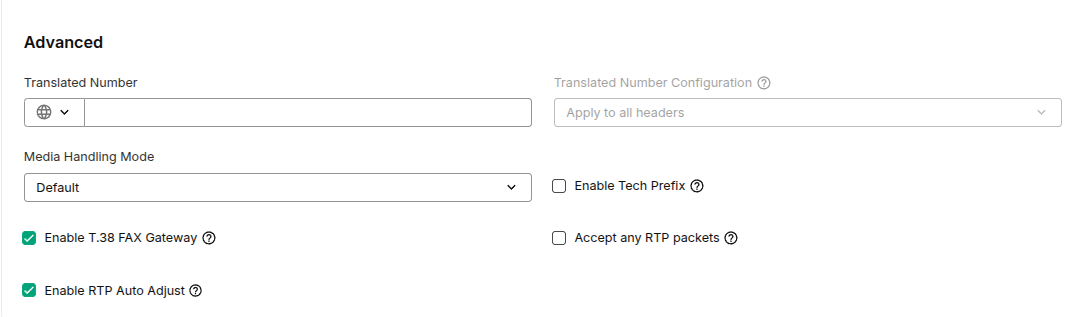
Telnyx SIP Inbound Settings: Translate Number
I've been followingL https://docs.vapi.ai/advanced/sip/telnyx. I've set up Outbound calling with Telnyx however I cannot finish setting up Inbound calling for my Telnyx number. Happy to jump on a call to resolve this one.
When trying to follow these instructions:
I have attached a screenshot of the Telnyx UI, showing that a number is required. I cannot put any characters or symbols in there because of the form validation preventing me. I have also tried via API with the same issue:
When trying to follow these instructions:
I have attached a screenshot of the Telnyx UI, showing that a number is required. I cannot put any characters or symbols in there because of the form validation preventing me. I have also tried via API with the same issue: