correct-apricot•6mo ago
Workflow api request with extracted variables
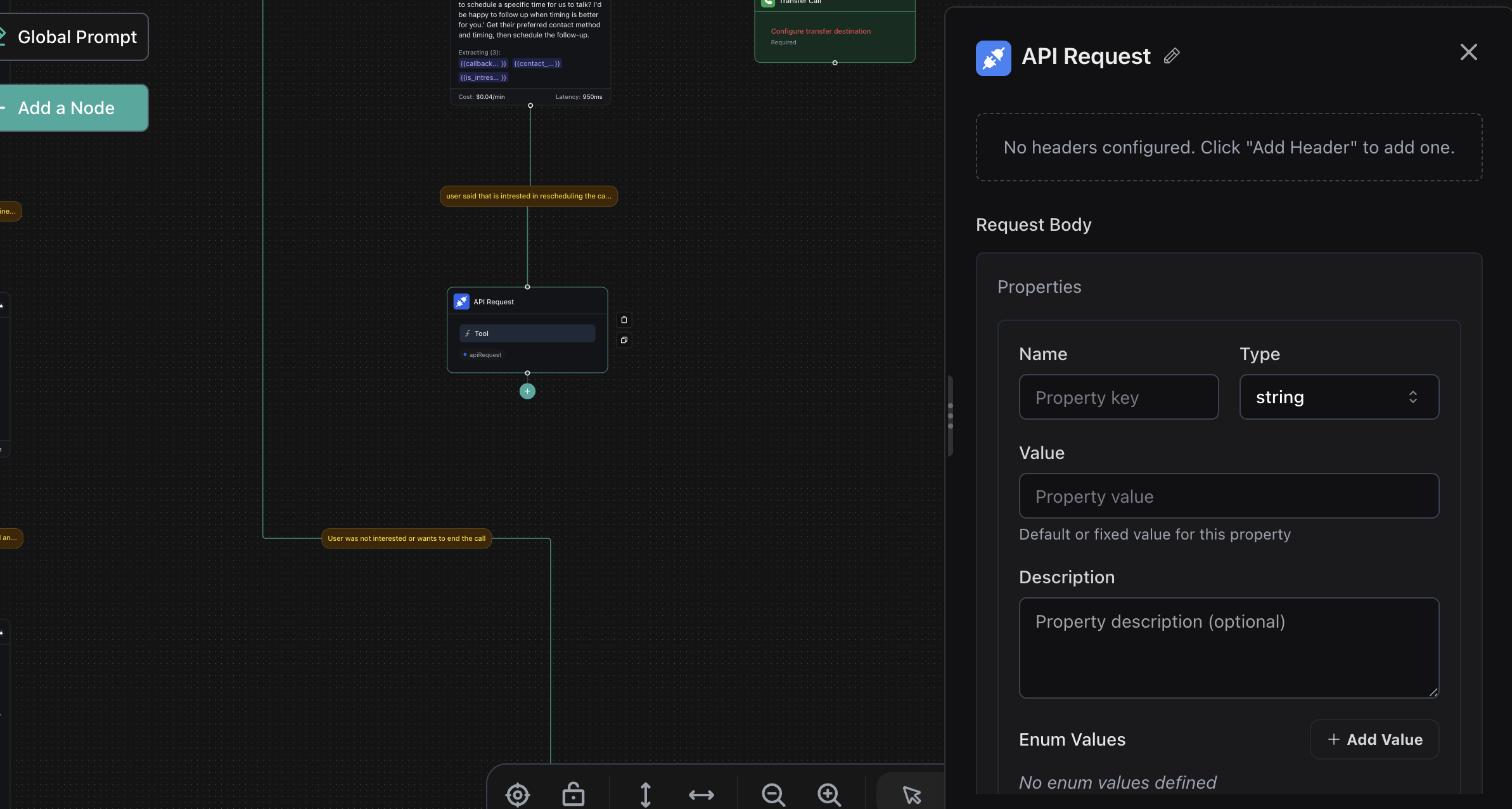
How i can send extracted variables in the api request node in the body payload section ?
13 Replies
correct-apricotOP•6mo ago
@Vapi
@Duckie
@Vapi Team
loud-coral•6mo ago
Extract variables in a Conversation node, then use {{variable_name}} in the API Request node’s body payload; map API responses to output variables for use in later nodes..
loud-coral•6mo ago
Workflows quickstart | Vapi
Build a simple agent that greets users and gathers basic information using Vapi workflows.
Variables | Vapi
Personalize assistant messages with dynamic and default variables
correct-apricotOP•6mo ago
thanks for your response, super clear on how to include them in the api request, not so sure on how to map api responses to output variable
loud-coral•6mo ago
By defining them in the API Request node’s Response Mapping section using JSON paths like, subscription_id → data.id, then use {{subscription_id}} in later nodes..
correct-apricotOP•6mo ago
thank youu
one more question , how i can send the call id in the request ?
The payload to your webhook URL contains a call object with the call ID. You can extract the call ID from the payload.
correct-apricotOP•6mo ago
this is the payload i get , no call id
[
{
"headers": {
"host": "n8n-aibaze.onrender.com",
"user-agent": "node",
"content-length": "77",
"accept": "/",
"accept-encoding": "gzip, br",
"accept-language": "*",
"authorization": "test",
"baggage": "sentry-environment=production,sentry-public_key=a0021577936aec367b16615ad816c078,sentry-trace_id=949fb076a1174bc0af69e7dd91c08010",
"cdn-loop": "cloudflare; loops=1",
"cf-connecting-ip": "44.247.30.108",
"cf-ipcountry": "US",
"cf-ray": "951a65d57cc8ef5f-PDX",
"cf-visitor": "{"scheme":"https"}",
"content-type": "application/json",
"render-proxy-ttl": "4",
"rndr-id": "81fb3e0a-18c6-46d4",
"sec-fetch-mode": "cors",
"sentry-trace": "949fb076a1174bc0af69e7dd91c08010-9a7c150ab17e9dd4",
"traceparent": "00-760823de7a2a5049f0555f84088c5e5e-09fcbe6553f2b571-01",
"true-client-ip": "44.247.30.108",
"x-forwarded-for": "44.247.30.108, 172.68.175.33",
"x-forwarded-proto": "https",
"x-request-start": "1750245630384738"
},
"params": {},
"query": {},
"body": {
"scheduled_date": "2023-06-20T00:00:00",
"candidate_email": "thomas@gmail.com"
},
"webhookUrl": "https://n8n-aibaze.onrender.com/webhook/281d9a17-3839-4f09-92",
"executionMode": "production"
}
]
Here is an example Vapi Payload structure:
correct-apricotOP•6mo ago
yes that is what i was expecting, but the snippet i shared is what im actually getting !
This looks like a webhook from a different system. Could you please provide a screenshot of the configuration where this is configured in n8n?
metropolitan-bronze•2mo ago
Did you ever figure this out? I have the same problem. My api request payload looks just like yours. I can't get it to use any of the default variables in the api request either, the payload that I receive just contains the literal variable name (i.e., "{{now}}" or "{{customer.number}}", etc) instead of the value that is supposed to replace the variable.
The difference in payload structure seems to be that the OP is showing the payload of an API Request and Kyle is showing the payload of a tool call. The id is not present in an API Request
I sincerely apologize for the delayed response to your support request.
We implemented better tracking for support tickets to ensure timely responses going forward, but due to a technical limitation, this only applies to tickets created after this past week.
I'm closing this older ticket, but if your issue still needs attention, please:
Reply with 'REOPEN' or
Email support@vapi.ai with any updates
I'll personally ensure your new request gets prompt attention.
Thank you for your patience.
Best regards,
Vapi Support Team