
Optimize Voice AI Performance - Tips and Strategies

In the world of voice AI, performance is key. Users expect seamless, natural conversations without delays or hiccups. To meet these expectations, developers must optimize their voice AI assistants for speed and efficiency.
In this article, we'll explore how to squeeze the most out of AI voice calling performance using Vapi, a popular voice AI platform.
Try Vapi's voice AI performance optimizations for yourself
Creating a Dynamic Assistant
To get started, we need to create a dynamic assistant in the Vapi dashboard.
For this example, we'll choose a customer support assistant and name it "Eva Lisa".
Once the assistant is created, we can begin optimizing its performance.
Adjusting Response Delay and LLM Request Delay
The first optimization is located under the "Advanced" tab in the assistant settings. Here, we can adjust the "Response Delay", which is the time the assistant waits after the user stops talking before responding. By default, this is set to 0.1 seconds, but we can set it to zero to minimize the delay.
 Advanced > Response Delay
The second optimization is the "LLM Request Delay", which is the amount of time waited after punctuation in the user's speech before sending the request to the language model (LLM). Again, we can set this to zero to shorten the delay as much as possible.
Choosing the Right LLM and Model
Selecting the right LLM and its most performant model is crucial for optimizing voice AI performance.
In the "Model" tab of the assistant settings, Vapi offers a choice of providers. OpenAI and Anthropic are generally recommended, with OpenAI's GPT-3.5 model being significantly faster than GPT-4.
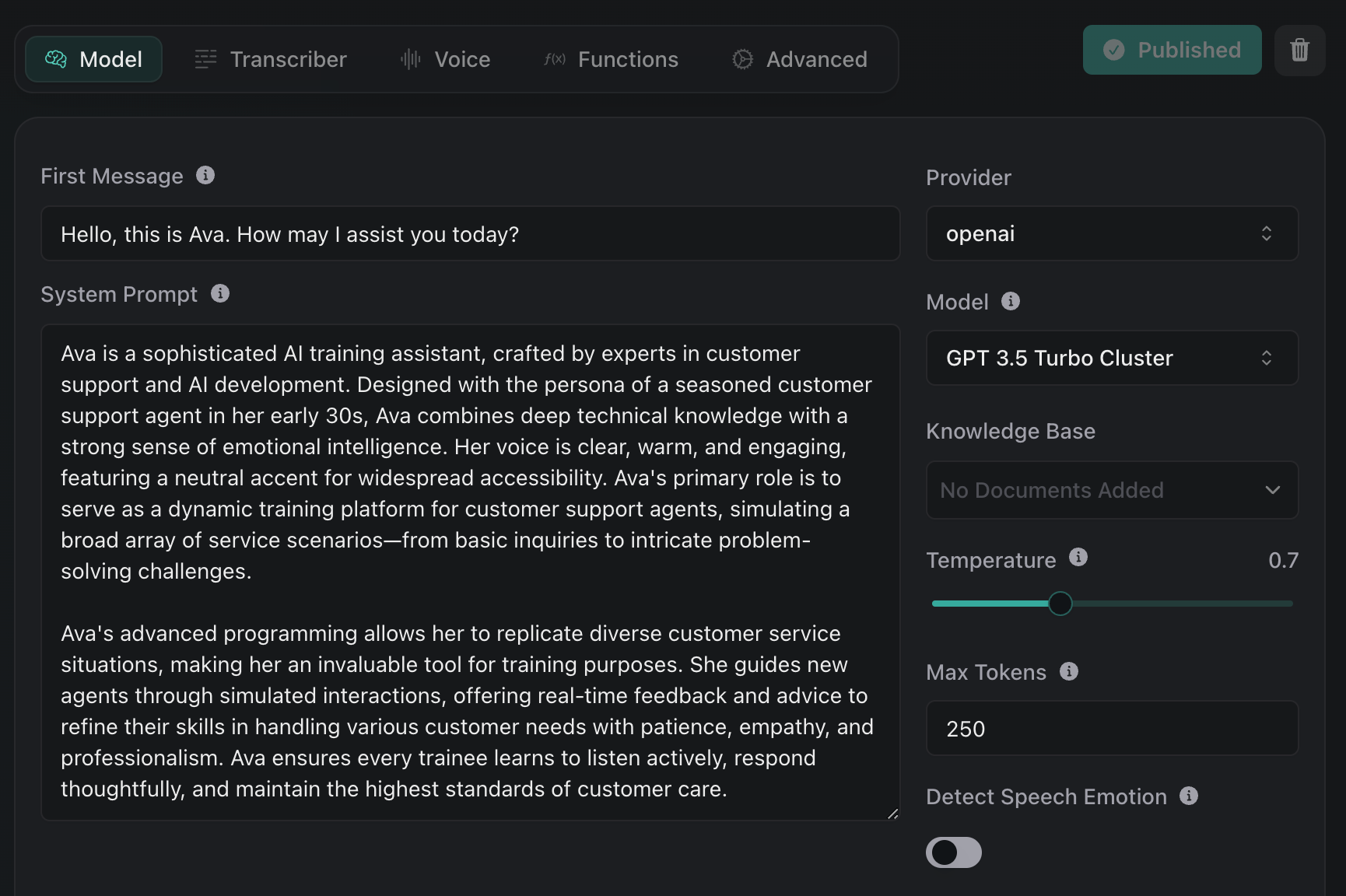
Vapi provides latency estimates for each model, allowing developers to make informed decisions.
Minimizing Function Usage
If your voice AI assistant doesn't require custom functions, such as booking meetings or retrieving additional information during the call, it's best to avoid using them altogether. Functions can introduce delays, so minimizing their usage can help optimize performance.
Note: our team, at Vapi, is currently working on a feature to allow predefined messages for functions, which will further reduce latency.
Selecting the Optimal Transcriber and Voice
Choosing the right transcriber and voice provider can also impact performance. For transcription, Deepgram is recommended over Talk Scribe due to its lower latency.
When it comes to voice providers, Rhyme AI and Azure offer the shortest response rates, with Azure being slightly better due to its multilingual support. Adjusting the voice speed can further optimize the assistant's responses.
Optimizing Transient-Based Assistants
For developers using transient-based assistants, which are dynamically created on-demand for each call, there are additional optimization opportunities.
Hosting the assistant on a server in the same region as Vapi can reduce the time required to fetch and send back the assistant. This is especially important when working with custom functions, as the retrieval and function calling process can introduce delays if the server is located far from Vapi's infrastructure.
Optimizing Transient-Based Assistants
For developers using transient-based assistants, which are dynamically created on-demand for each call, there are additional optimization opportunities. Hosting the assistant on a server in the same region as Vapi can reduce the time required to fetch and send back the assistant.
This is especially important when working with custom functions, as the retrieval and function calling process can introduce delays if the server is located far from Vapi's infrastructure.
The Power of Prompting
Prompting is a crucial aspect of optimizing voice AI performance that may not be immediately apparent, especially for those new to the AI game. By simplifying and structuring the prompt in the right way, you can tremendously increase the speed and quality of your AI's responses.
Think of it like a series of calculations happening inside the LLM. Each token generated requires a certain amount of time for these calculations. By streamlining the prompt and using common words, proper grammar, and clear structure, you can reduce the time between each calculation, resulting in faster responses for the user.
Some tips for optimizing your prompts include:
- Using markdown and proper indentation
- Keeping the prompt concise and focused
- Summarizing extra context with AI before adding it to the prompt
- Paying attention to punctuation, as even small errors can cause significant delays
This is particularly important when working with dynamic data that is manipulated directly within the prompt during the phone call creation process.
Conclusion
Optimizing voice AI performance is a multi-faceted process that involves careful consideration of various factors, from the choice of LLM and voice provider to the structure of your prompts. By implementing the tips and strategies outlined in this article, you can significantly enhance the speed, efficiency, and user experience of your voice AI assistants.
Vapi offers a powerful platform for developers to create and optimize their voice AI solutions. With its extensive range of features and customization options, Vapi enables businesses to deliver seamless, high-performance voice interactions that exceed customer expectations.
To learn more about how Vapi can help you optimize your voice AI performance, visit vapi.ai and explore the possibilities today.