xenial-black•3d ago
call start error
since yesterday i am unable to initiate any outbound call with any assistant.
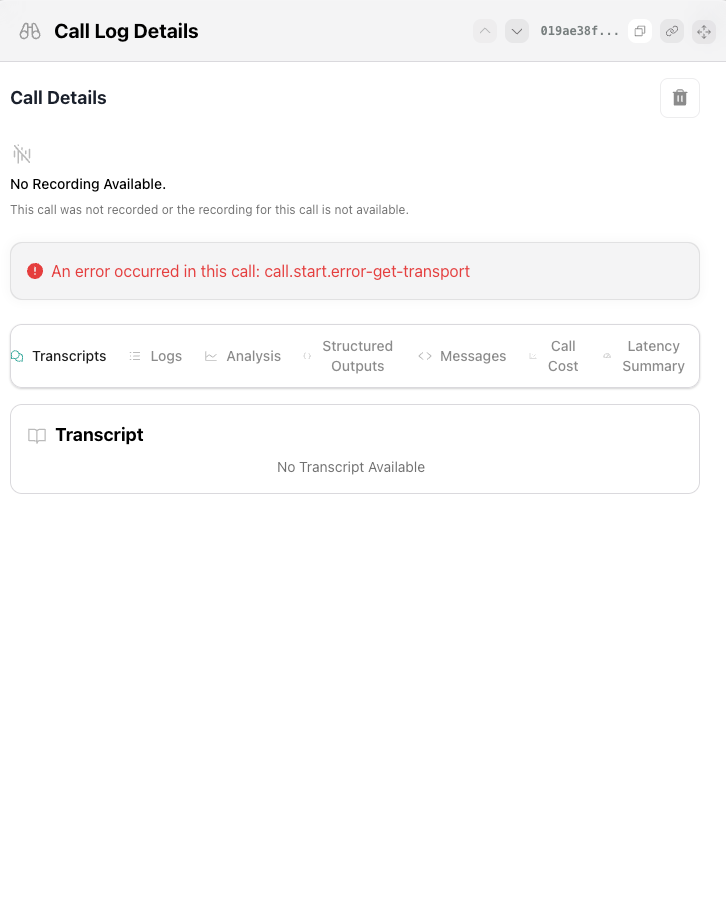
I am getting this:
call.start.error-get-transport
You can check this call id 019ae38f-47d1-7336-867d-e5fb2b1244ef
5 Replies
The error
Since this is affecting all outbound calls and the call never connects, the recommended next step is to contact Vapi support and provide your Call ID (
You can reference the call ended reason documentation for more details.
Tip: Include your organization ID and a brief description when reaching out to support for faster resolution. Source: - Call Ended Reason Documentation
call.start.error-get-transport means there was a problem retrieving transport information when starting the call.Since this is affecting all outbound calls and the call never connects, the recommended next step is to contact Vapi support and provide your Call ID (
019ae38f-47d1-7336-867d-e5fb2b1244ef) for investigation.You can reference the call ended reason documentation for more details.
Tip: Include your organization ID and a brief description when reaching out to support for faster resolution. Source: - Call Ended Reason Documentation
⤵️ Mention @Vapi Support Bot for follow-ups 🐥
xenial-blackOP•2d ago
@Vapi Moderator
Can i please get update on this. it has been 3 days.
inland-turquoise•2d ago
We are also affected by this
xenial-blackOP•8h ago
Any update on this?
Thanks for your patience while we dug into this.
Looking at call
019ae38f-47d1-7336-867d-e5fb2b1244ef, we’re seeing the following internal error on our side:
🔴 09:33:30:127 Couldn't initiate outbound call transport and queue for call 019ae38f-47d1-7336-867d-e5fb2b1244ef. Error: Couldn't Create Twilio Call. Twilio Error: Authenticate
This means Vapi wasn’t able to authenticate with Twilio when trying to start the outbound leg. It’s not related to your assistant configuration, but to the telephony transport step.
A few things to check on your side while we continue investigating:
1. Twilio credentials in Vapi
- Re-save your Twilio Account SID and Auth Token in the provider/phone number settings (in case the token was rotated or invalidated).
2. Twilio account status
- Confirm in the Twilio console that the project is active, has sufficient balance/credit, and outbound calling is allowed for your region and numbers.
3. From number configuration
- Make sure the Twilio number you’re using for outbound is still valid, SMS/voice-enabled, and not restricted.