useful-bronze•5w ago
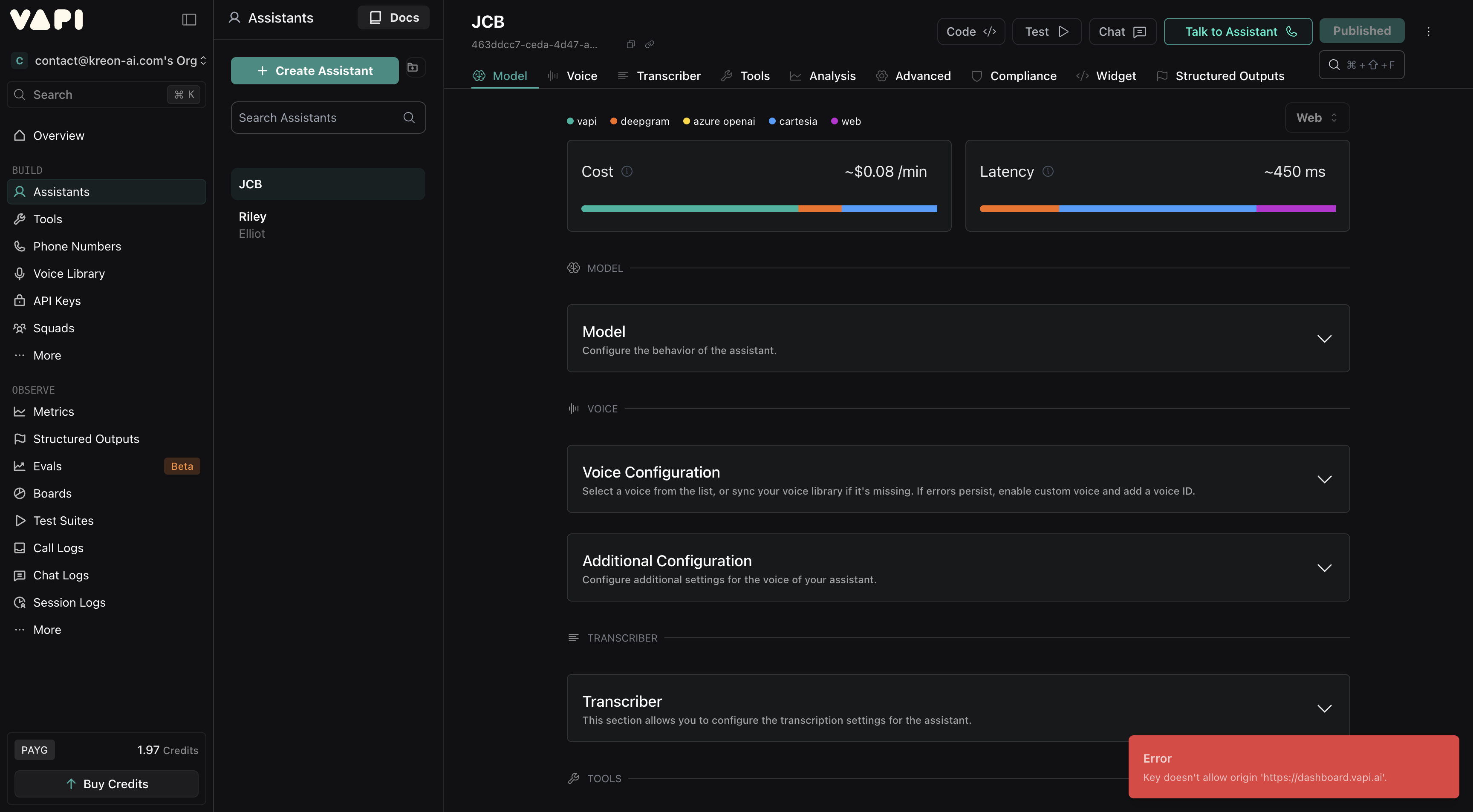
Error: Key does not allow origin https://dashboard.vapi.ai
Hey everyone. I use my agent from the dashboard. Recently I kept having this issue.
What I changed recently : Connected my Azure account. But even if I go back to the original settings, it still does it
What worked partially :
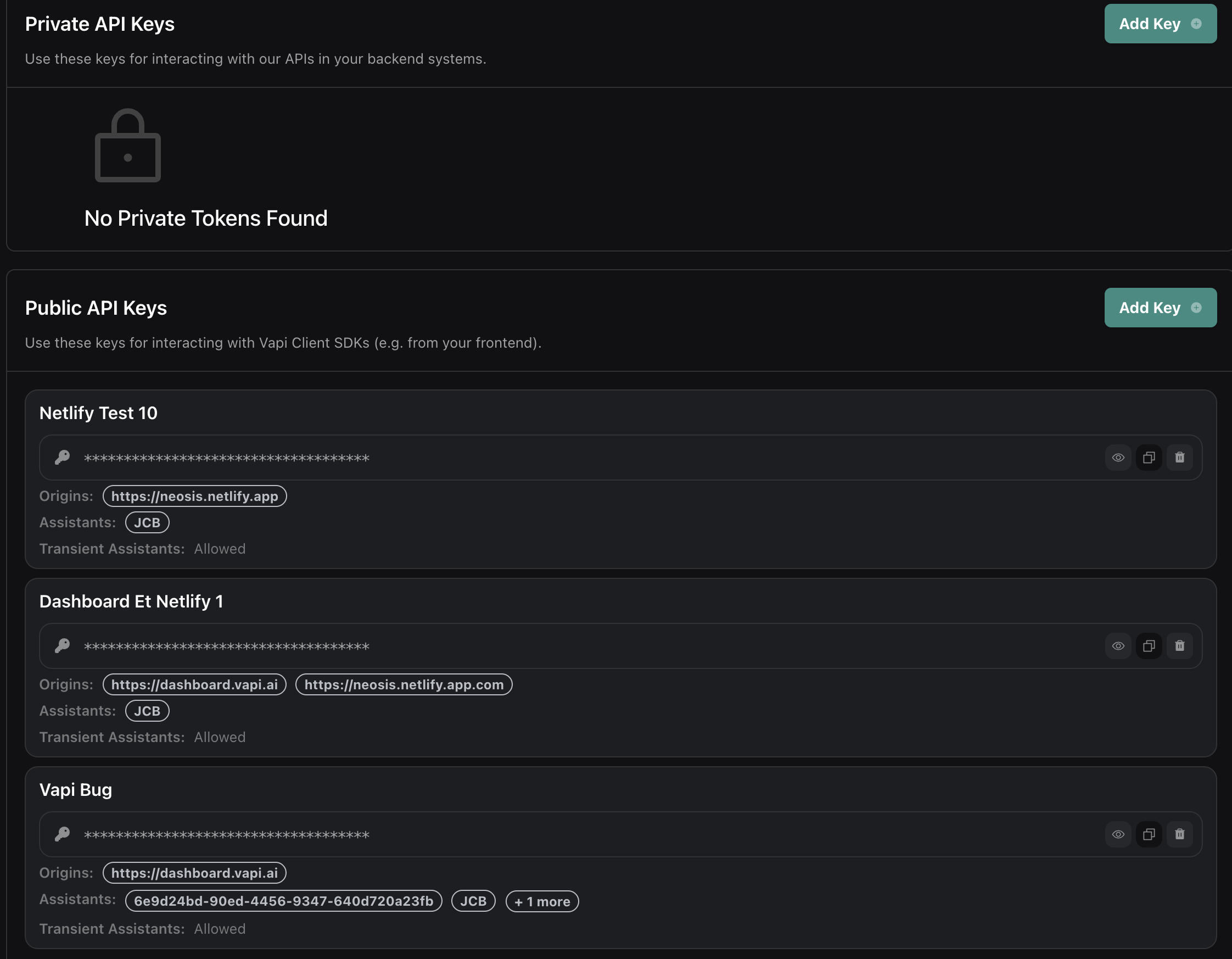
- I did put a public key, as I read on various posts to allow dashboard.vapi, but it makes no sense to me tbh.
- Cleared cache multiple time, did work once but came back.
To conclude : I don't have a clear root cause, it is variable as it pops for hours then sometime stops.
Thanks a lot
5 Replies
Hi there,
Thank you for your message. Our team is currently out of the office. We operate Monday through Friday, from 9:00 AM to 8:00 PM Pacific Standard Time (PST).
We’ll get back to you as soon as possible during our normal business hours.
If your message is urgent, please mark it accordingly or include “URGENT” in the subject line, and we’ll do our best to respond promptly.
Warm regards,
Vapi
Customer Support Team
Vapi
Customer Support Team
wise-white•5w ago
It seems like a CORS or API key restriction issue. Try these steps:
1. Go to your Vapi dashboard → API Keys → Edit Key Settings.
2. Make sure your allowed origin includes https://dashboard.vapi.ai.
3. If not, add it manually and save.
4. Clear browser cache and restart the dashboard.
5. If issue continues, generate a new API key and reconnect your Azure account.
This usually fixes the “Key does not allow origin” error.
VAPI Dashboard - Voice AI Management Platform
Build and manage voice AI agents that conduct human-like conversations. Access real-time analytics, configure assistants, and monitor your AI voice applications.
useful-bronzeOP•4w ago
Am i stupid or the : "Edit key setting" does not exist at all ??? You cant edit a key
Still not resolved 🙂
I really need help Vapi team, thanks a lot
useful-bronzeOP•4w ago
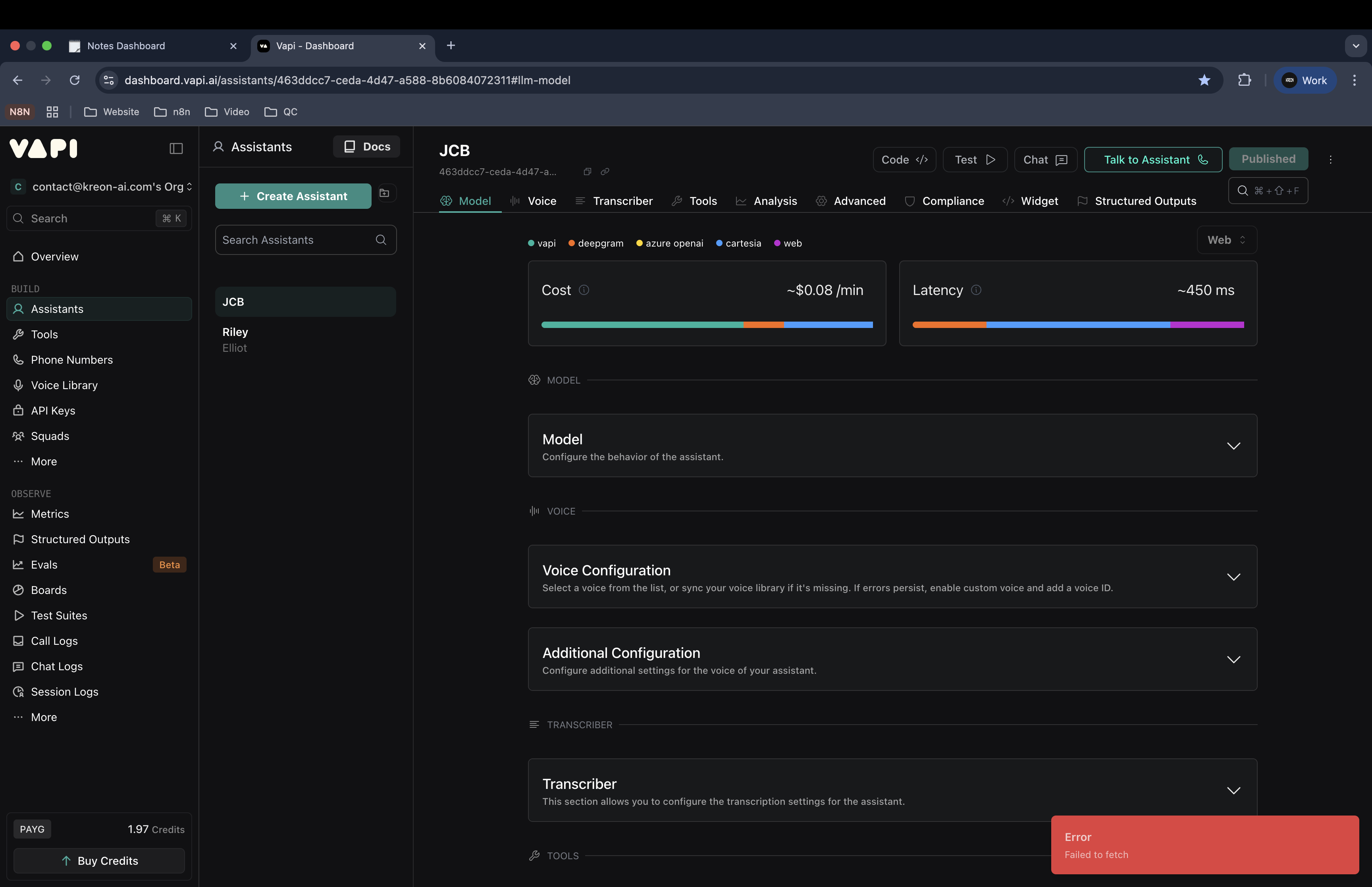
I deleted all my keys, and now i get this.
I sincerely apologize for the delayed response to your support request.
We implemented better tracking for support tickets to ensure timely responses going forward, but due to a technical limitation, this only applies to tickets created after this past week.
I'm closing this older ticket, but if your issue still needs attention, please:
Reply with 'REOPEN' or
Email support@vapi.ai with any updates
I'll personally ensure your new request gets prompt attention.
Thank you for your patience.
Best regards,
Vapi Support Team