yelping-magenta•5w ago
Block spam numbers
How can I block unwanted callers in vapi?
12 Replies
rival-black•5w ago
To block unwanted callers in Vapi AI, go to your Vapi dashboard → Phone Numbers → Call Settings → Blocklist.
Add the numbers you want to block there.
You can also enable spam filtering or auto-block rules in settings to stop similar calls automatically.
unwilling-turquoise•4w ago
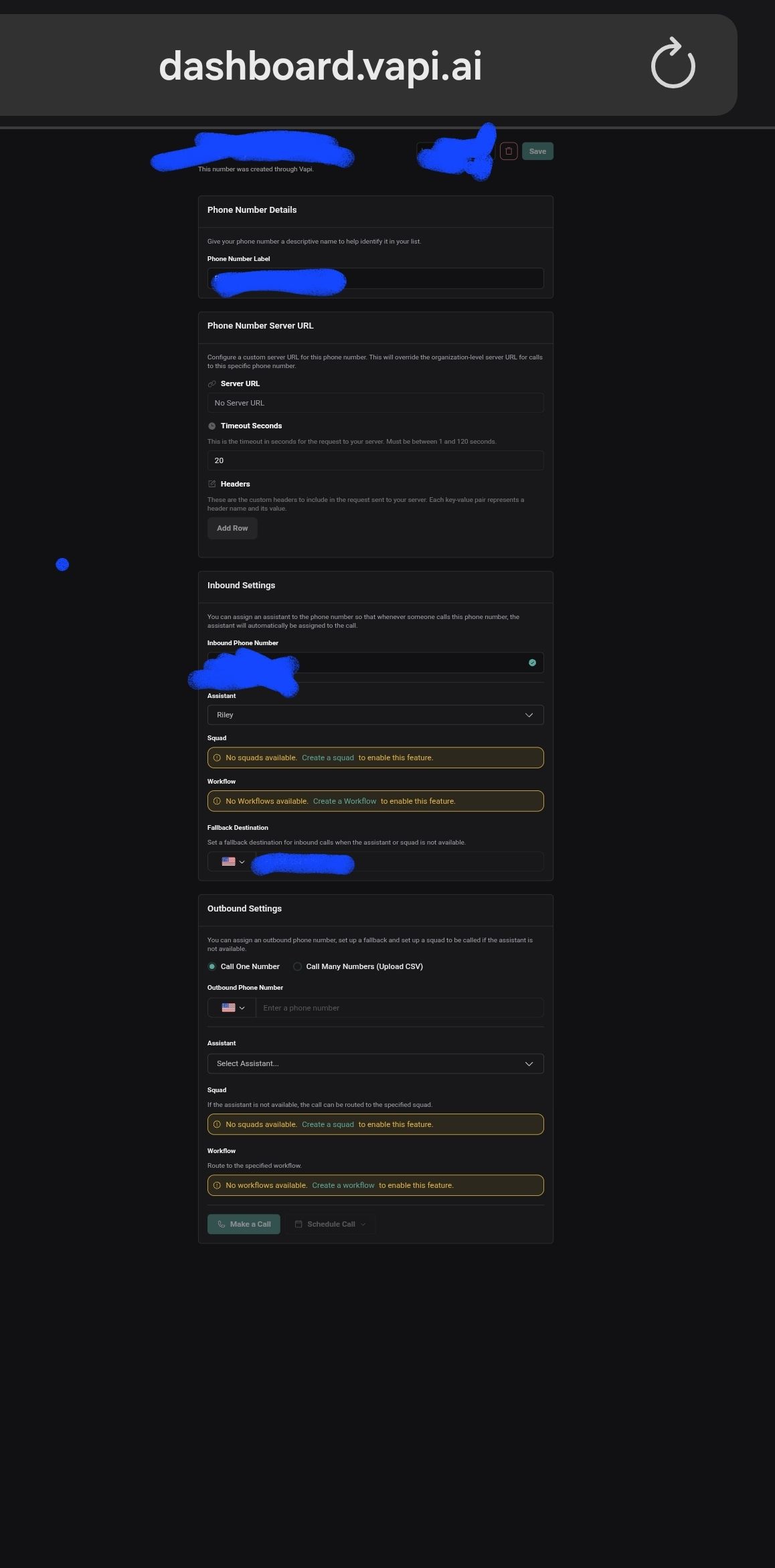
That option you said doesnt exist. Look i took a screenshot
complex-teal•4w ago
@nock What exactly are you trying to achieve? Are you being hit with high-priced destinations? if you are, please DM me and I will help you setup a solution that will "eliminate" the issue completely, without any need to "overly manage" lists and such.
unwilling-turquoise•4w ago
U didnt make any sense .
complex-teal•4w ago
@nock I'll explain. When you say "Block spam numbers" - which of the following use cases do you refer to:
1. I have people registering all kinds of high-cost destinations to my outbound campaign, and I want to block these from happening.
2. I have people calling my agent from high-cost caller ID origins, then disconnect, causing my AI to call back to these high-cost destinations.
3. I have people "flooding" my AI voice agent with calls, which are consuming all my resources for no return.
Which of the cases applies to you?
unwilling-turquoise•4w ago
Just as i wrote before spam calls. If you dont know what you are doing please dont try to help. Clearly i opened this chat asking to block spam callers.
rival-black•4w ago
If the “Blocklist” option isn’t showing, it might be hidden in your dashboard version. Try going to Phone Numbers → select your number → Rules or Advanced Settings, and add a rule to reject specific numbers. If that option still isn’t available, contact Vapi Support and ask them to enable the call block or spam filter feature for your account.
unwilling-turquoise•4w ago
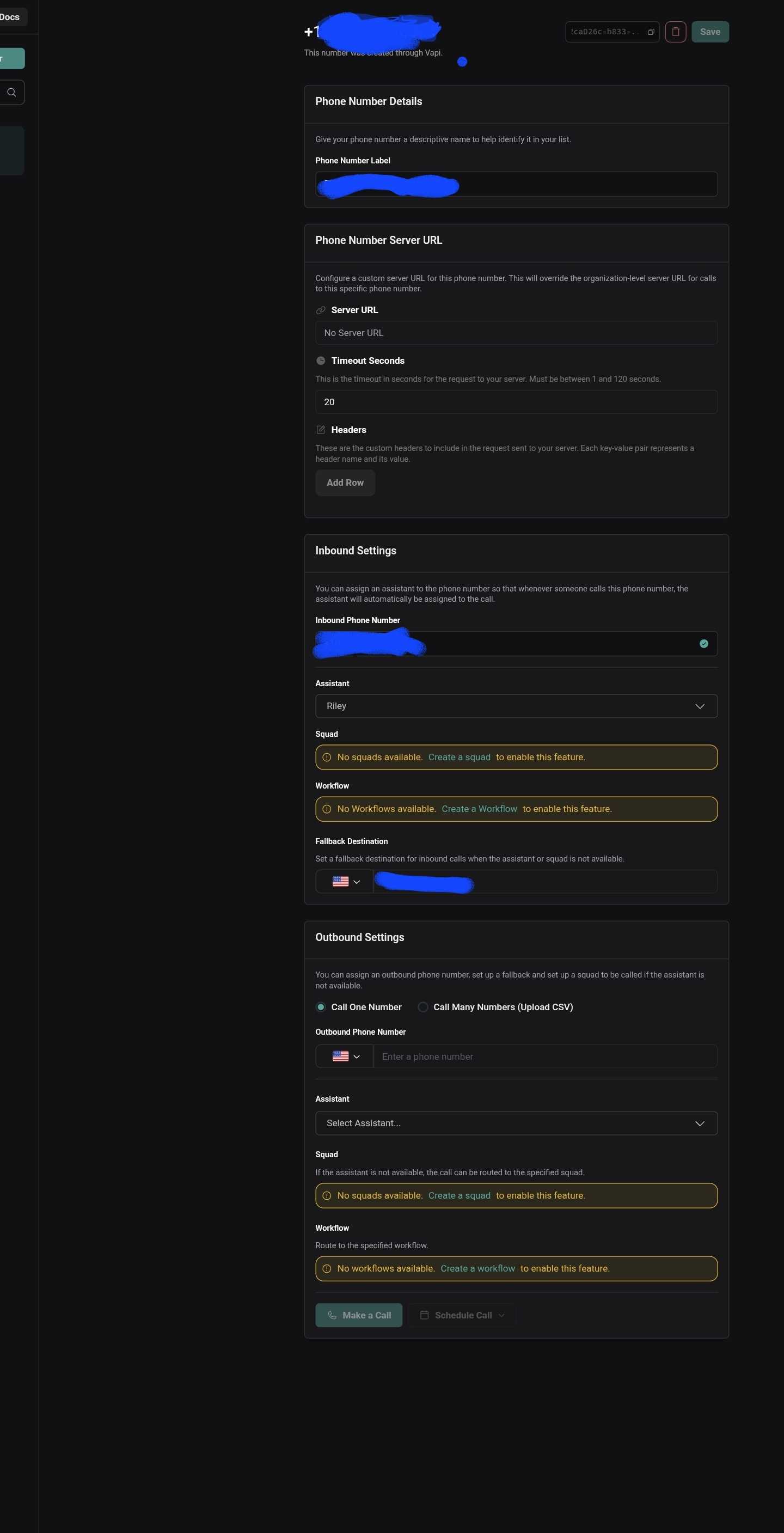
Show me with screen shots.
unwilling-turquoise•4w ago
The options u guys say dont exist , makes me think you guys making things up out of ur imagination.
You can prevent spam callers by adding a simple screening step in your assistant’s prompt or workflow:
Ask the caller to press a specific keypad number to continue (for example, “Press 1 if you are a real caller”).
With keypad input enabled, check the value entered.
If the caller does not press the correct number, have the assistant immediately end the call. This avoids relying on dashboard blocklist options and gives you a reliable, automated spam-filtering layer.
With keypad input enabled, check the value entered.
If the caller does not press the correct number, have the assistant immediately end the call. This avoids relying on dashboard blocklist options and gives you a reliable, automated spam-filtering layer.
unwilling-turquoise•4w ago
I am wondering if this still utilizes credits?. The concern is that even a minimal consumption of 0.01 credit per instance would be problematic if I am frequently receiving unwanted calls. I am seeking a solution that would prevent any credit consumption in such cases. Could you please provide information regarding a dashboard blocklist option, as I have been unable to locate it? Screenshots illustrating this option would be greatly appreciated.
I sincerely apologize for the delayed response to your support request.
We implemented better tracking for support tickets to ensure timely responses going forward, but due to a technical limitation, this only applies to tickets created after this past week.
I'm closing this older ticket, but if your issue still needs attention, please:
Reply with 'REOPEN' or
Email support@vapi.ai with any updates
I'll personally ensure your new request gets prompt attention.
Thank you for your patience.
Best regards,
Vapi Support Team