exotic-emerald•2mo ago
Make n8n Webhook Connection doesn't work
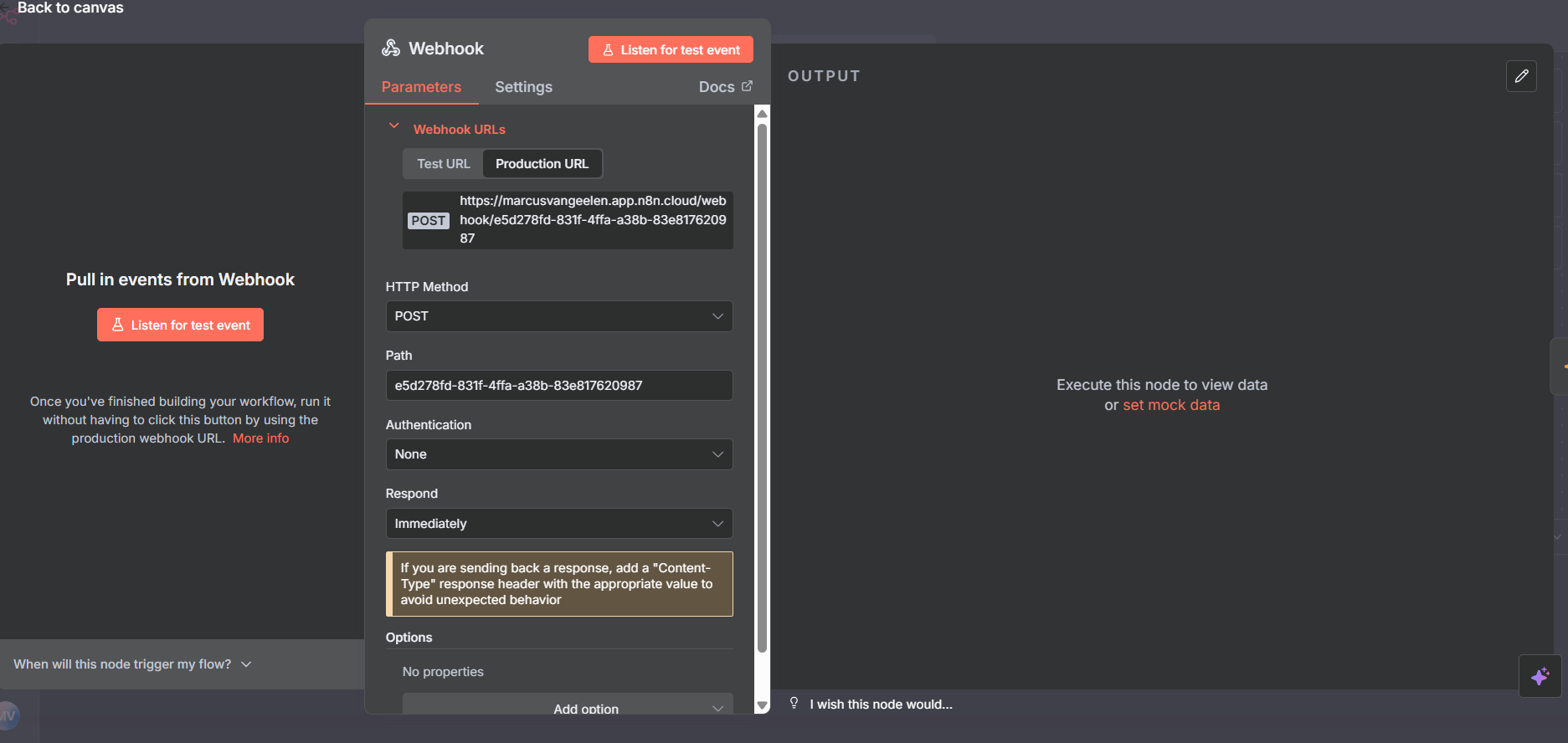
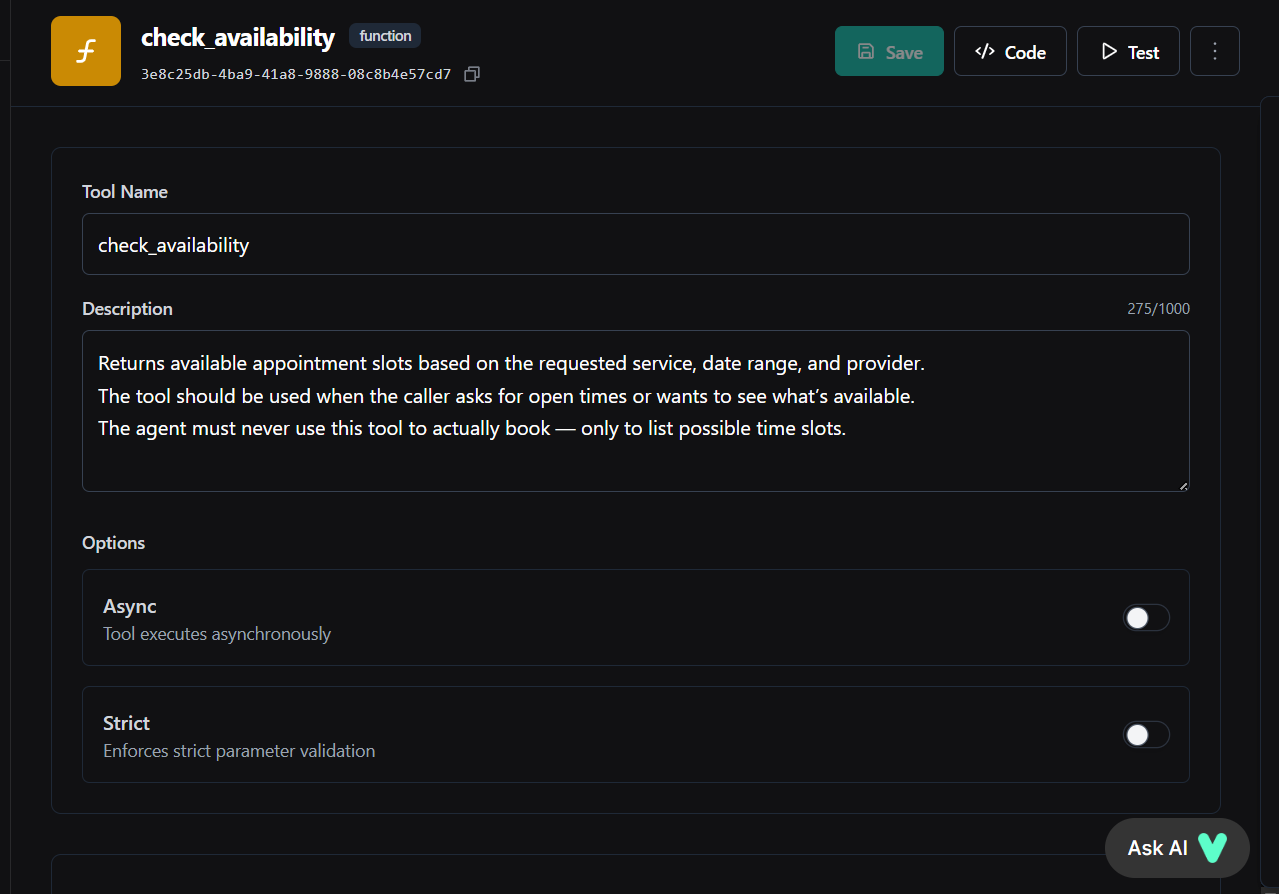
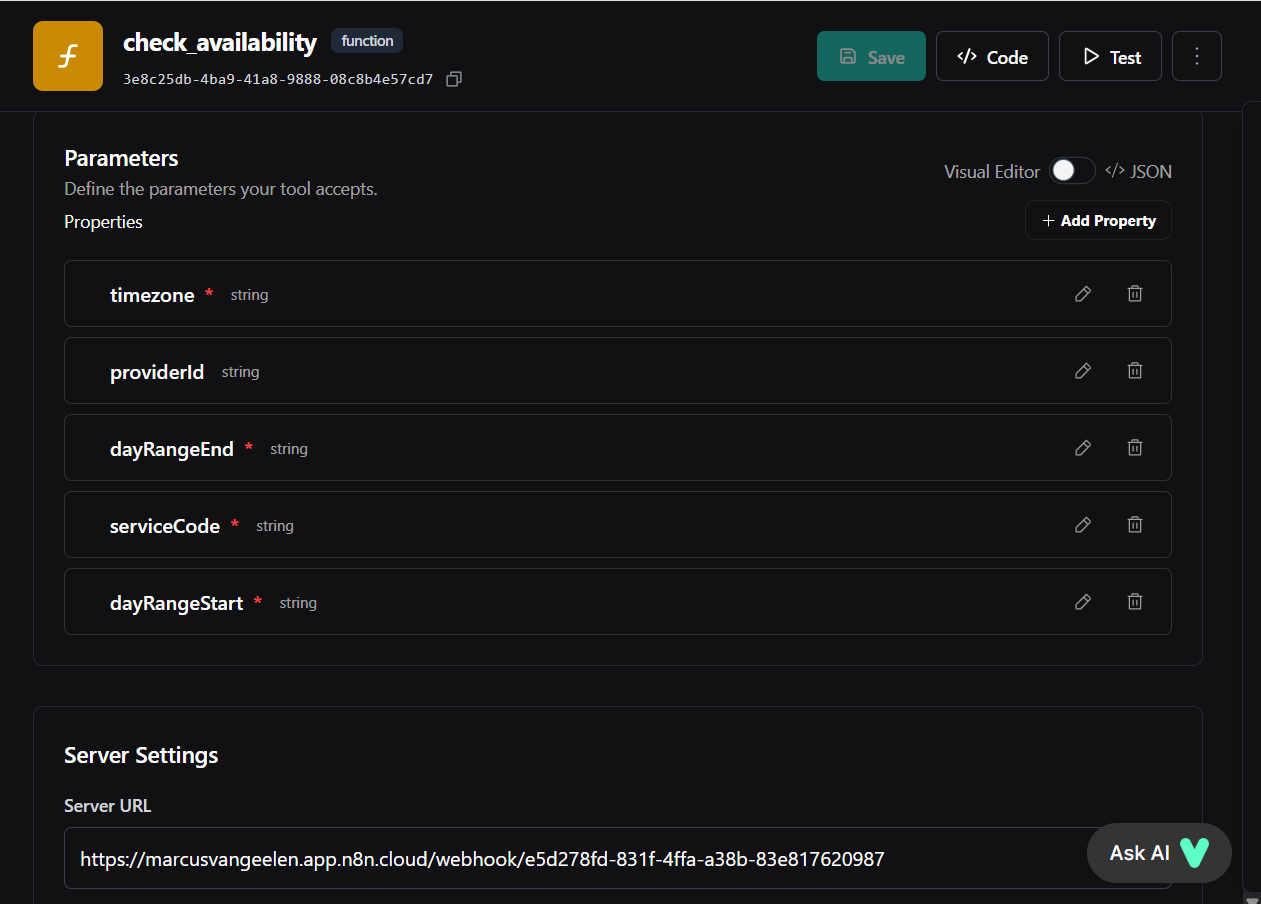
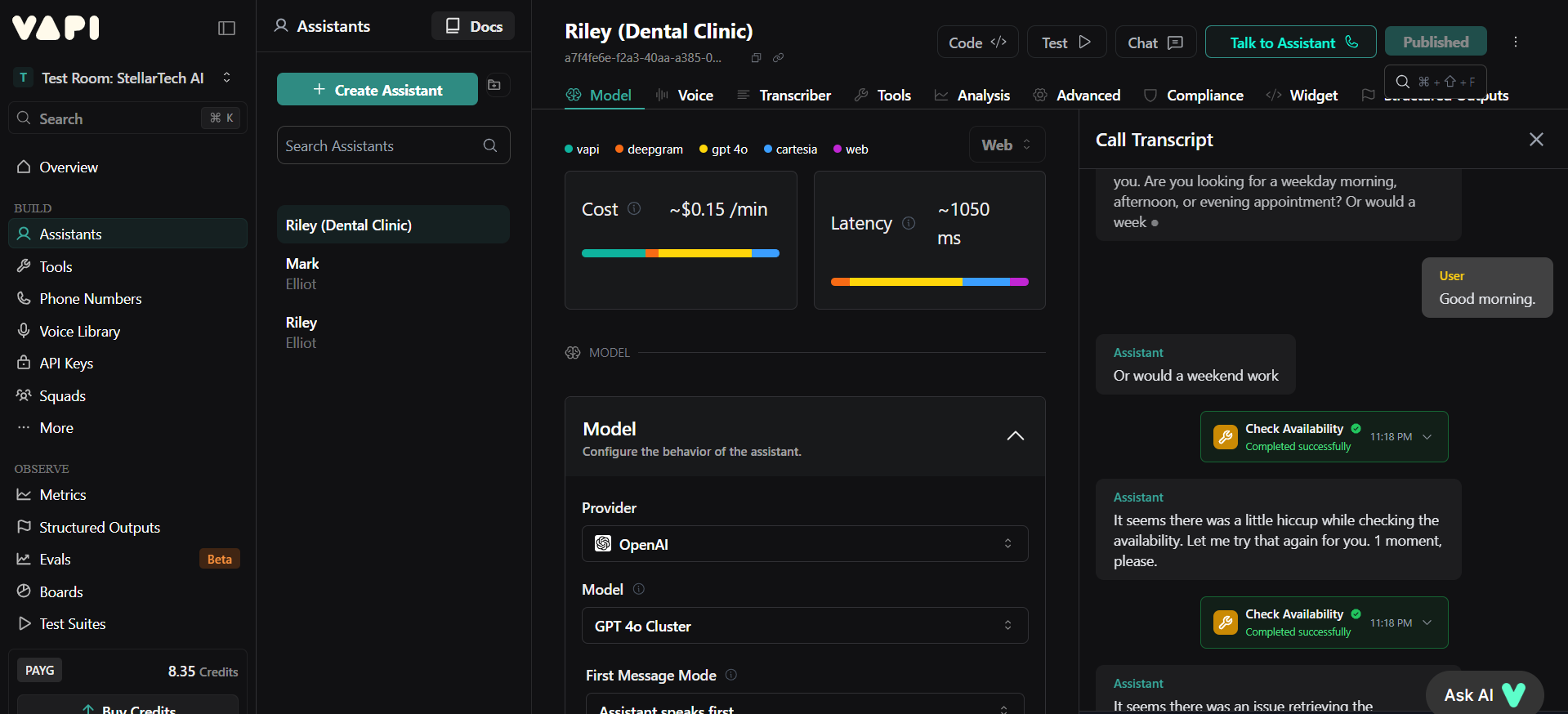
My webhook connection with n8n and Vapi doesn't work. I am trying to set-up a check_availability tool, that would allow the assistant to call on an n8n workflow where you can check a Google Calendar's availability. In the images you can find the current set-up.
Below you can find my JSON in the parameters field too:
{
"type": "object",
"properties": {
"timezone": {
"description": "Clinic timezone, e.g. America/New_York.",
"type": "string"
},
"providerId": {
"description": "Optional provider/calendar ID.",
"type": "string"
},
"dayRangeEnd": {
"description": "End date (YYYY-MM-DD).",
"type": "string"
},
"serviceCode": {
"description": "Code of the service, e.g. CLEAN_30.",
"type": "string"
},
"dayRangeStart": {
"description": "Start date (YYYY-MM-DD).",
"type": "string"
}
},
"required": [
"serviceCode",
"dayRangeStart",
"dayRangeEnd",
"timezone"
]
}
8 Replies
Thanks for sharing your setup details! To help diagnose the issue, could you specify what exactly happens when you trigger the
check_availability tool—do you see any error messages, or does the webhook not receive any request at all?
Sources:
- Custom tools troubleshooting
- Debugging voice agents⤵️ Mention @Vapi Support Bot for follow-ups 🐥
exotic-emeraldOP•2mo ago
I don't see any error messages. It just doesn't receive any request.
optimistic-gold•2mo ago
Check the call logs, did the assistant call the tool at all?
exotic-emeraldOP•2mo ago
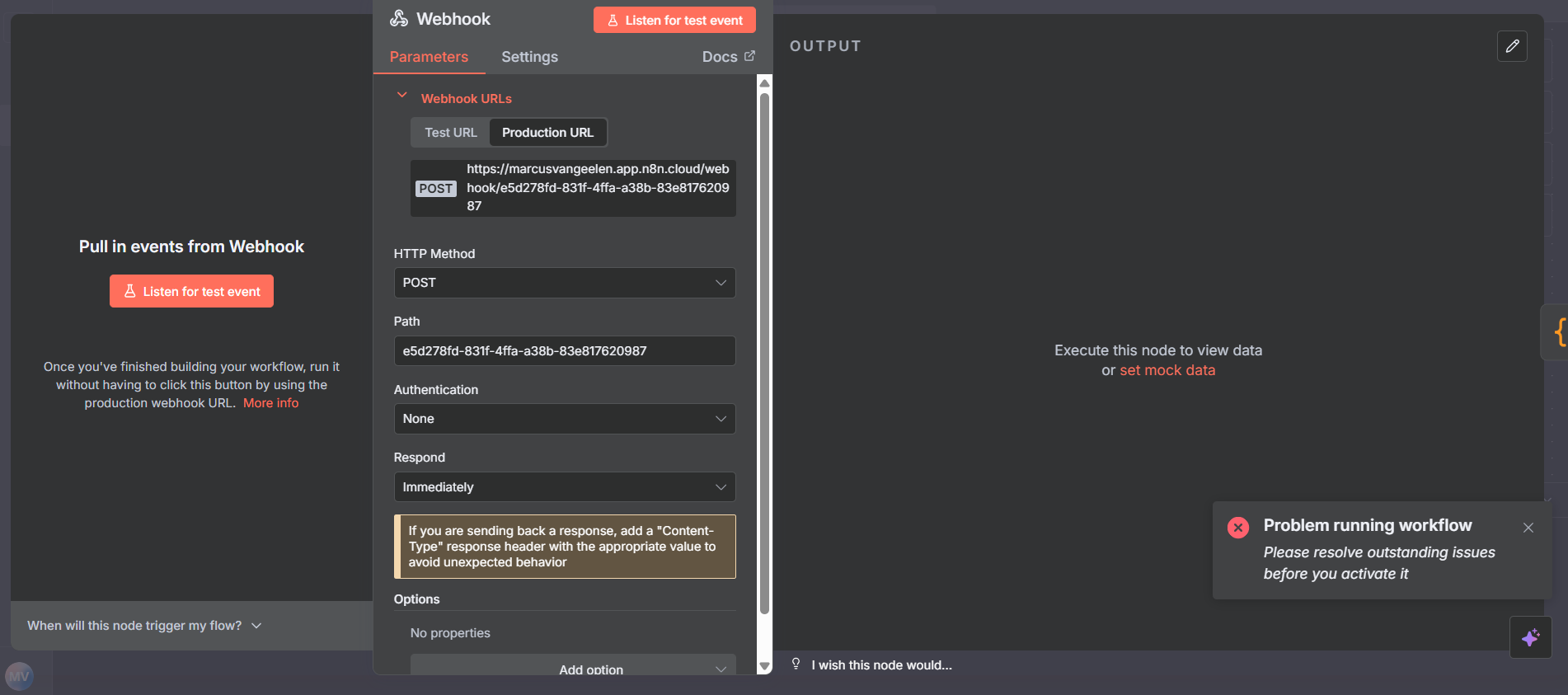
It calls the tool, but for some reason the webhook didn't fetch the call. @Vapi
optimistic-gold•2mo ago
I'd like to see the tool call break down, values sent from vapi.
exotic-emeraldOP•2mo ago
@EMMANUEL @Vapi @Vapi Support Bot
My n8n webhook cannot fetch the data from Vapi. It's calling the right tool, but for some reason there's connection between n8n and Vapi.
Here's a video of the error. Hopefully this helps! After the call ends you can fast forward a little bit. It takes me a minute to find the webhook error. Below the json from the webhook request error: { "id": "log-376", "level": 50, "time": 1762357413332, "timestamp": 1762357413332000000, "severityText": "ERROR", "severityNumber": 17, "body": "Request failed: tool-calls", "attributes": { "category": "webhook", "callId": "019a54ae-ec98-7771-b829-7cc5c41f09c1", "orgId": "52cd29dd-d410-4f8d-9020-5ca43fc4e278", "url": "https://marcusvangeelen.app.n8n.cloud/webhook/e5d278fd-831f-4ffa-a38b-83e817620987", "latencyMs": 246, "messageType": "tool-calls", "errorMessage": "Request failed with status code 500", "statusCode": 500, "statusText": "Internal Server Error" } }
Here's a video of the error. Hopefully this helps! After the call ends you can fast forward a little bit. It takes me a minute to find the webhook error. Below the json from the webhook request error: { "id": "log-376", "level": 50, "time": 1762357413332, "timestamp": 1762357413332000000, "severityText": "ERROR", "severityNumber": 17, "body": "Request failed: tool-calls", "attributes": { "category": "webhook", "callId": "019a54ae-ec98-7771-b829-7cc5c41f09c1", "orgId": "52cd29dd-d410-4f8d-9020-5ca43fc4e278", "url": "https://marcusvangeelen.app.n8n.cloud/webhook/e5d278fd-831f-4ffa-a38b-83e817620987", "latencyMs": 246, "messageType": "tool-calls", "errorMessage": "Request failed with status code 500", "statusCode": 500, "statusText": "Internal Server Error" } }
optimistic-gold•5w ago
Hey Marcus, I am not affiliated to vapi, I'm a freelancer myself but I can fix this for you.
Send me a message
Hi Marcus,
To test webhooks locally using Vapi CLI and ensure you receive server events, follow these steps:
1. Install and Start Vapi CLI:
This sets up a local listener at port 4242.
2. Set Up Tunneling:
- Use a tunneling service like ngrok to create a public URL.
Copy the public URL provided by ngrok.
3. Configure Webhook URL:
- In your Vapi Dashboard, update your webhook URLs to point to the ngrok URL (e.g.,
https://abc123.ngrok.io).
Make sure your local server is set to handle POST requests on the same path you configured in your Vapi dashboard. For complete instructions and options, refer to Local webhook testing with vapi listen.
By following these steps, you should be able to debug and view webhook events in real-time. If you're encountering issues or receiving errors, verify your tunneling service setup, the configured ports, and ensure your local server is actively running and listening for requests.