Vapi helps developers build, test, and deploy voice agents at scale. We enable everything in between the raw models and production, including telephony, test suites, and real-time analytics.
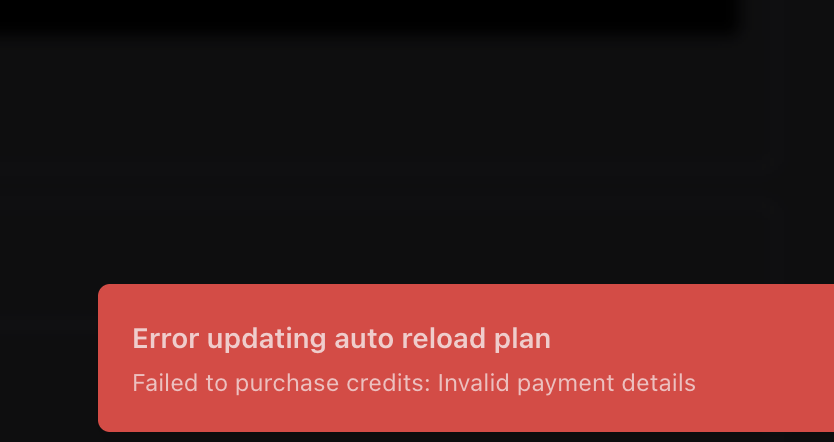
To resolve the "Invalid payment details" error when adding credits, visit the billing page, review your payment information, and ensure all details are correct before submitting your purchase. If the error persists, try updating your card or using a different payment method. If you still encounter issues, you may need to contact Vapi support for further assistance.
If you've tried multiple credit cards and still see "Invalid payment details" when adding credits, the best next step is to contact Vapi support directly at support@vapi.ai for assistance. You can also join their Discord community for real-time help in the #support channel. This will ensure your payment issue is addressed promptly and securely.
If you're still seeing "Invalid payment details" after trying multiple credit cards, the best next step is to contact Vapi support directly for assistance. You can email them at support@vapi.ai or join their Discord community for real-time help. This will ensure your payment issue is reviewed and resolved as quickly as possible.
 D
D L
L

 V
V
 V
V