Squads + Knowledge Base
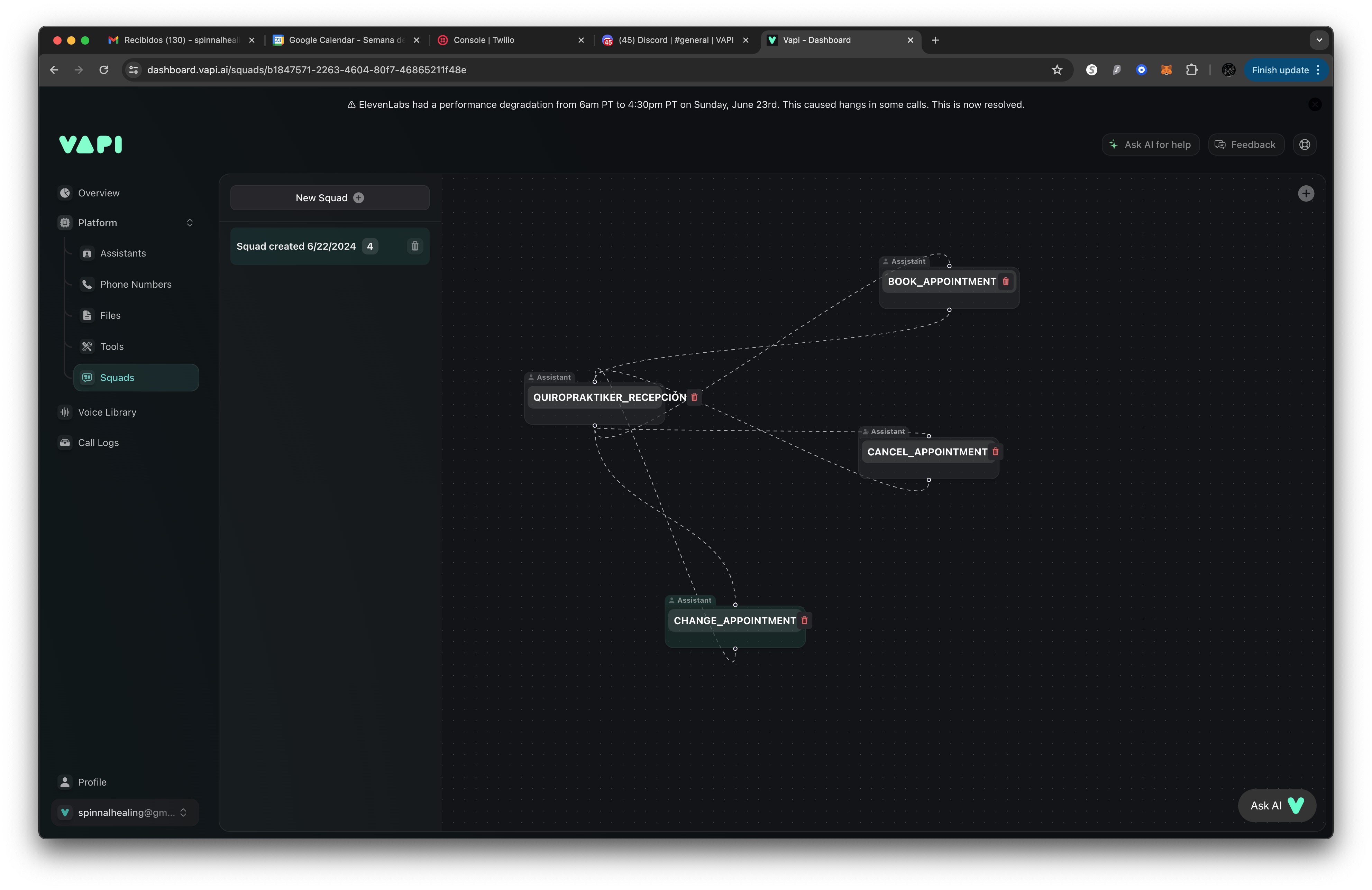
Hi @Sahil I created a Squad in the Squad panel under Platform, yet the main assistant is not transferring to the correct sub assistant.
Also, my knowledge base .txt files are not being read correctly for example the assistant states incorrect operating hours when it is clearly directed to the corresponding knowledge base file.
**I've included a screen shot of the squad I created and the prompts I am using.
Please help, thank you!
(EXAMPLE PROMPT: ##When the caller wants to book an appointment use the book_appointment assistant id#22aec0e1-c045-4d90-93be-02fc95e7422f.)
(EXAMPLE KNOWLEDGE BASE PROMPT: ##Hours of Operation: Use the information in the HOURS.txt file in the knowledge base.)
The main assistant id# 8de43881-a901-490f-b75a-365973ae0e86.
This is in testing phase since I have an operational assistant for the client.
Also, my knowledge base .txt files are not being read correctly for example the assistant states incorrect operating hours when it is clearly directed to the corresponding knowledge base file.
**I've included a screen shot of the squad I created and the prompts I am using.
Please help, thank you!
(EXAMPLE PROMPT: ##When the caller wants to book an appointment use the book_appointment assistant id#22aec0e1-c045-4d90-93be-02fc95e7422f.)
(EXAMPLE KNOWLEDGE BASE PROMPT: ##Hours of Operation: Use the information in the HOURS.txt file in the knowledge base.)
The main assistant id# 8de43881-a901-490f-b75a-365973ae0e86.
This is in testing phase since I have an operational assistant for the client.