
How We Built Adaptive Background Speech Filtering at Vapi

Background noise is a solved problem. Background speech is not.
For years, denoisers have successfully filtered out keyboard clicks and traffic.
But there's a type of noise they are fundamentally designed to preserve: human speech.
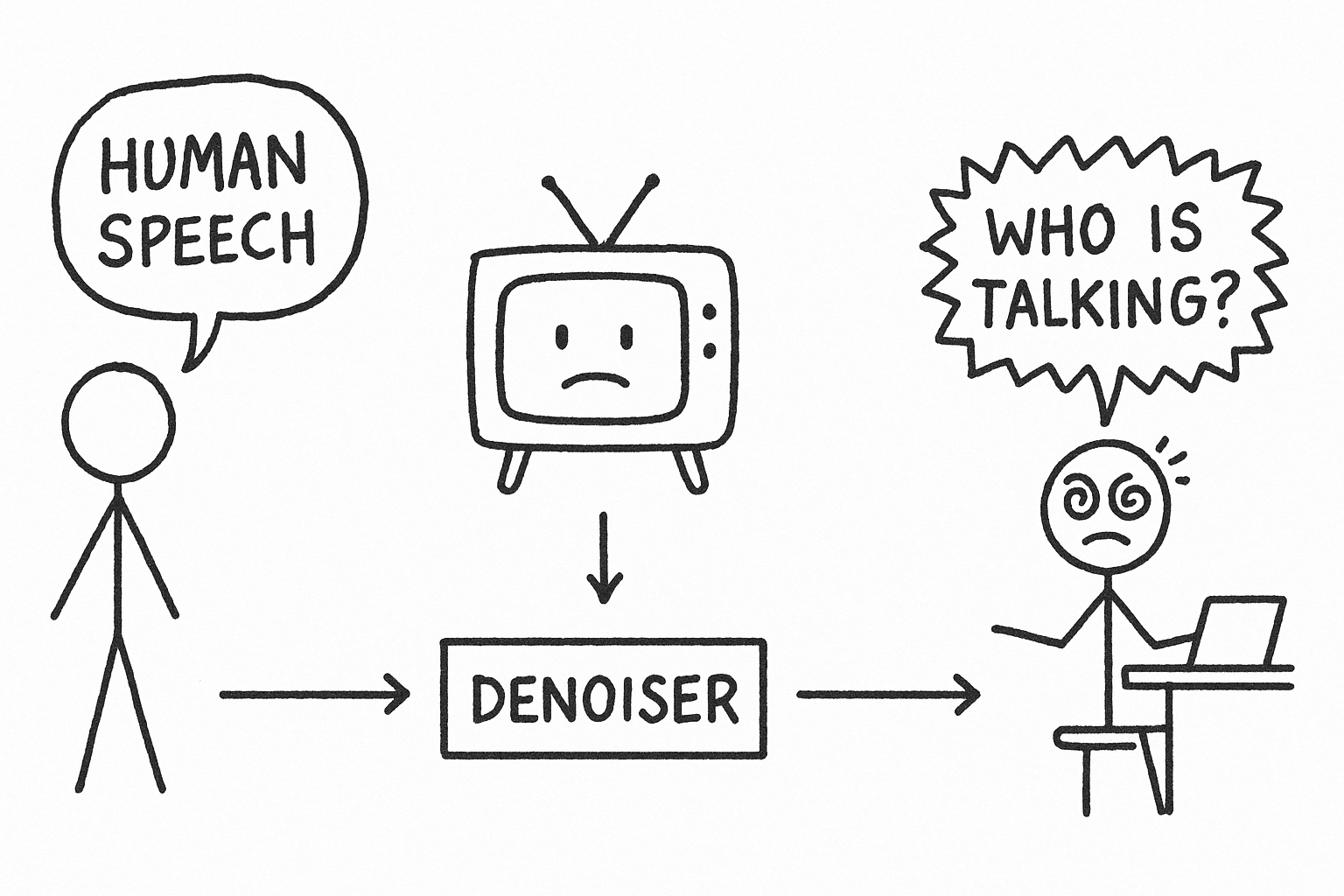
This creates a paradox. When a user is on a call with a TV playing in the background, a standard denoiser does its job perfectly.
It preserves the user's voice, and it preserves the voice of the news anchor.
The result is a garbled transcript and a confused agent.
This isn't a theoretical problem. The entire project started with one of our forward-deployed engineers, Adi.
Adi has worked with over a dozen enterprise customers to get their voice agents into production.
During one deployment, he hit a wall. The customer's agents were in an environment where TVs were often playing in the background.
Even with our standard Krisp-powered denoising, the assistant would pick up the TV's speech, derailing the conversation.
Krisp was doing its job perfectly and was preserving human speech.
The problem was, it couldn't tell the difference between the user and the news anchor. We needed a different approach.
First we tried the most obvious path - Using AI
The first impulse was to fight AI with more AI.
Train a model to differentiate primary speaker from background media
We considered it, but the costs were too high and it also introduced these challenges:
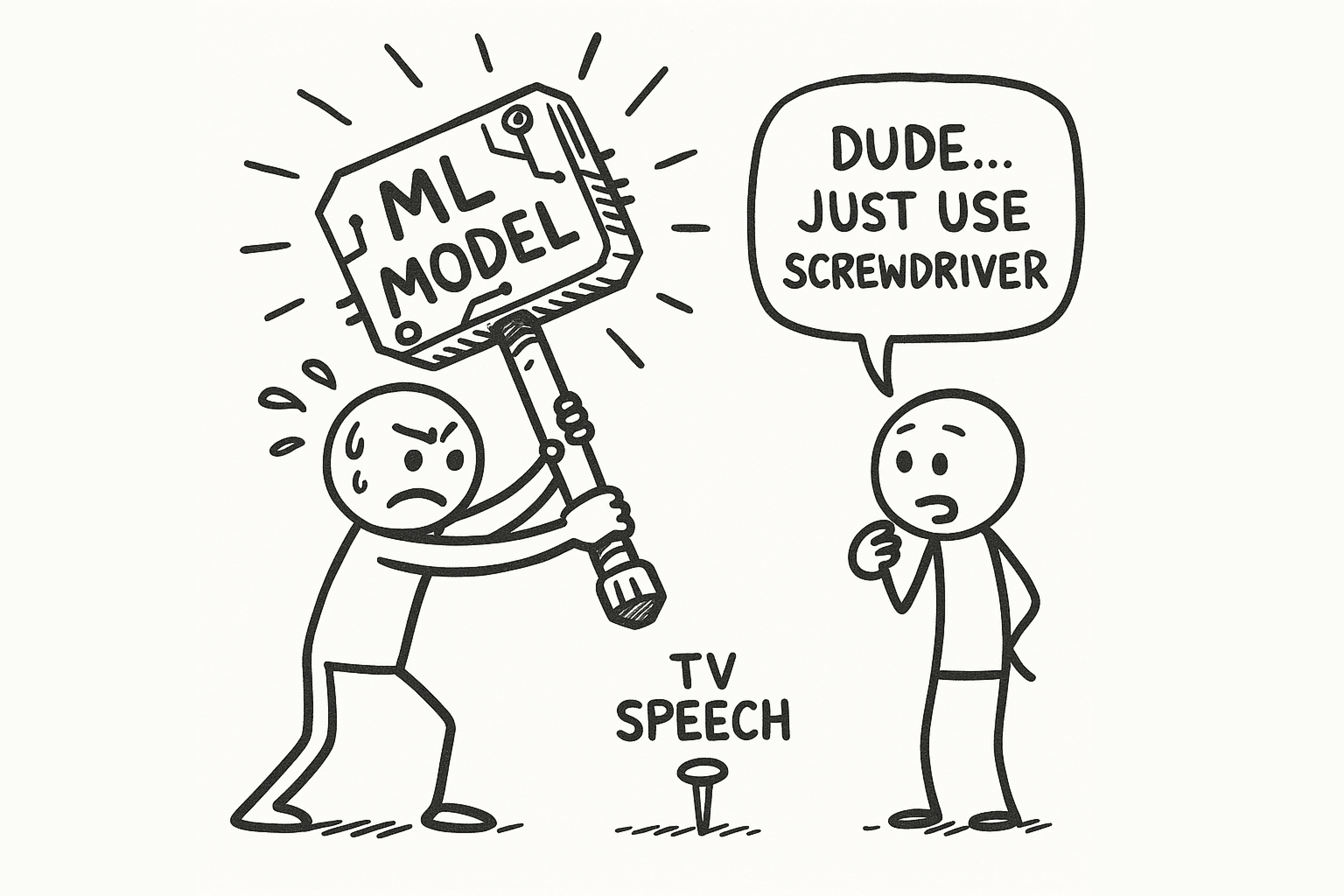
The obvious solution might be to throw more machine learning at the problem. Train a model to distinguish between "primary speaker" and "background media." We considered this, but it introduced several challenges:
- Latency: A new ML model adds processing time to our already tight sub-500ms latency budget.
- Context Loss: These models need several seconds of audio to work, making them useless for real-time turn-taking.
- Cost: More models mean more GPU usage, which means higher costs.
Throwing another model at this was not the right way to do this.
We had to find a fundamental acoustic difference between a user speaking and a TV playing.
The answer led us to signal analysis.
Broadcast audio is heavily compressed.
It has unique characteristics that human speech in a normal room does not.
Characteristics such as:
- Consistent volume levels
- Sustained energy patterns (meaning no natural pauses)
- Predictable amplitude distribution
We built a system to detect these patterns mathematically and ..it worked.. sometimes.
But a fixed filter is brittle. A loud TV in a quiet room has a different acoustic profile than a quiet TV in a noisy call center.
The real problem wasn't just detecting media but also adapting to any environment in real-time.
The breakthrough was the adaptive baseline.
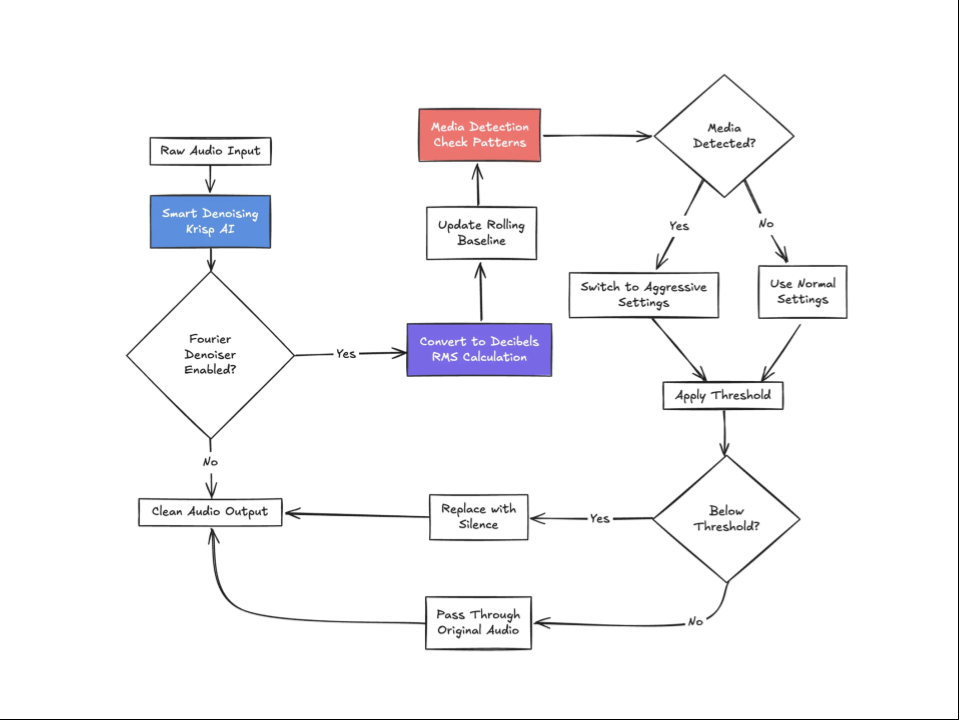
Instead of a fixed threshold for "noise," our system learns the acoustic profile of the environment on the fly through:
- Rolling Window Analysis: It maintains a 3-second rolling window of audio levels.
- Percentile Calculation: It finds the 85th percentile of speech volume to identify the primary speaker's level.
- Dynamic Offset: It filters audio that falls a specific amount (e.g., 15dB) below this moving baseline.
The baseline also updates every 20ms. If a user moves from a quiet room to a loud one, the filter adapts in seconds.
The Media Detection Algorithm
The last step was to automate the switch to a more aggressive mode when media is detected. Our algorithm looks for these telltale signs:
- Variance < 55dB (consistent volume)
- Sustained moderate volume for > 1 second
- 85% of samples within a narrow range
When these patterns are detected, the system automatically switches to more aggressive settings optimized for media filtering.
When the media is turned off, it gracefully returns to normal.
We call it Fourier Denoising, an experimental feature available today.
How It Works
All of this complexity is controlled by a single boolean.
backgroundSpeechDenoisingPlan: {
  fourierDenoisingPlan: {
    enabled: true,
    mediaDetectionEnabled: true // The magic happens here
  }
}
With mediaDetectionEnabled: true, the system:
- Monitors audio patterns in real-time
- Detects consistent media signatures (TV/radio/music)
- Automatically switches to optimized settings:
- More aggressive threshold (-30dB instead of -35dB)
- Larger baseline offset (-20dB instead of -15dB)
- Same percentile focus (85th percentile)
Here’s a real world use case to understand how it may work in action - Imagine an agent working from home. Their family turns on the TV. Within seconds, Fourier Denoising detects the pattern and switches to aggressive filtering.
And when the TV turns off, it returns to normal with no manual intervention.
Real-World Results
We tested Fourier Denoising across various environments like call center, home office with tv, coffee shop and the impact was quite measurable.
We saw a 73% reduction in background speech interference in call center environments.
In home offices with a TV on, it achieved near-complete elimination of the background speech
This approach adds less than 0.5ms of latency.
It's not a silver bullet for all noise, but it excels in specific scenarios.
When Fourier Denoising Shines
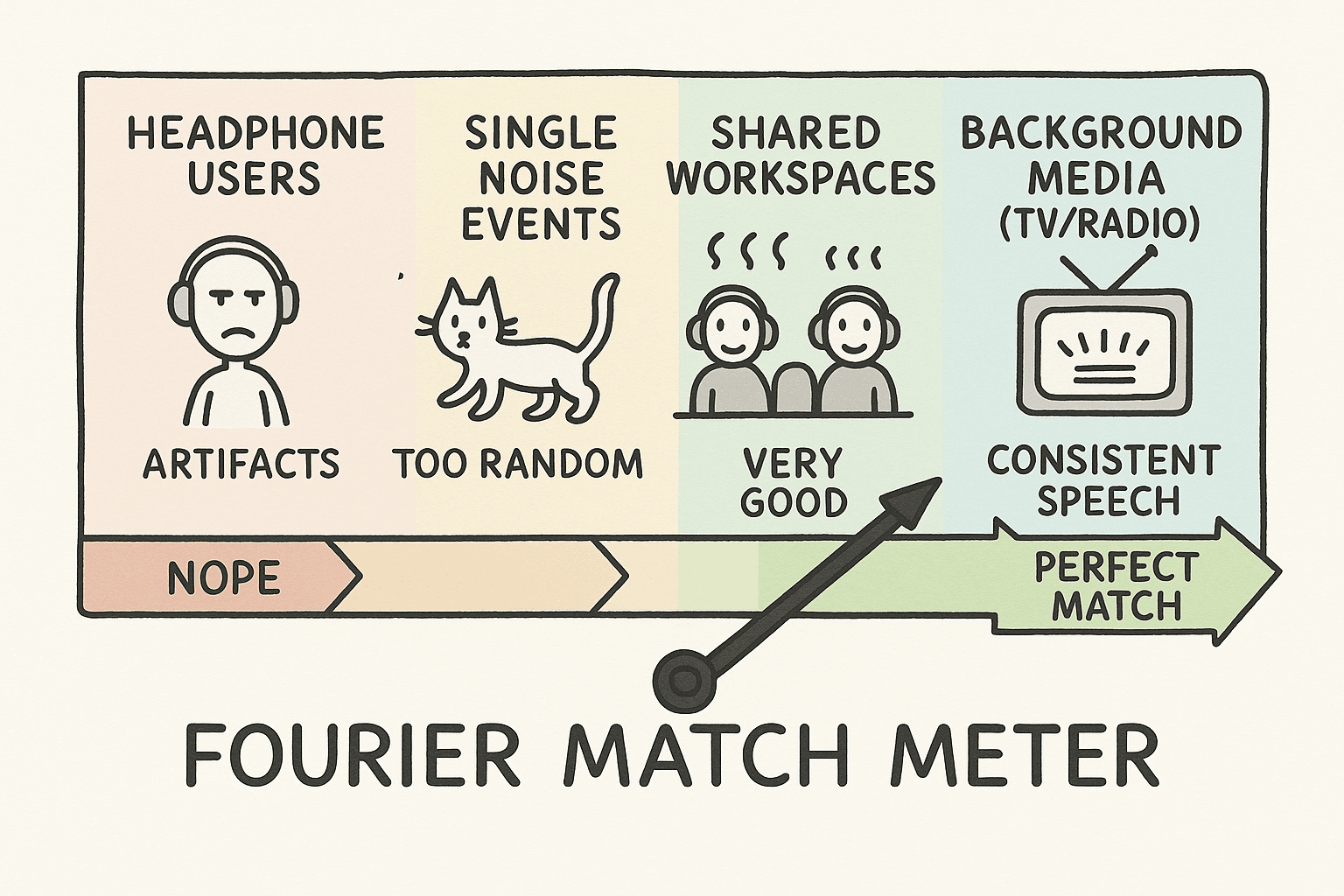
Fourier transform is perfect in environments such as:
- Consistent background media (TV/radio)
- Call centers with ambient conversations
- Shared workspaces
- Users without headphones
However, it is less than ideal for:
- Headphone users (this may cause audio artifacts)
- Extremely dynamic environments
- Single noise events (for this you should use our default Smart Denoising)
For power users, we exposed these knobs to fine-tune the filter for any environment:
baselineOffsetDb: How aggressive to filter (-30 to -5dB)windowSizeMs: Adaptation speed (1-30 seconds)baselinePercentile: Speech focus (1-99th percentile)mediaDetectionEnabled: Auto-adapt for TV/radio
Looking Forward
Fourier Denoising is labeled experimental because we're still learning from real-world usage. We're exploring:
- Automatic parameter optimization based on environment detection
- Enhanced media type detection (music vs. speech vs. mixed)
- Integration with spatial audio processing
- Per-frequency band filtering for even more precision
Try It Yourself
This is our engineering philosophy in action.
At Vapi, we solve complex, non-obvious infrastructure problems with the right tool.. whether it's an intelligent router or a simple mathematical filter.. and expose it through a simple, powerful API.
Fourier Denoising is available today for all Vapi users.
Start with Smart Denoising (which handles 90% of cases), and add Fourier Denoising when you need that extra level of background speech filtering.
Remember: this is an experimental feature.
It requires tuning for optimal results, and may not work well in all environments.
But for those specific cases where background media is a challenge, it can be transformative.
Let us know how it performs in your environment.
Your feedback will determine where we take it next.
Want to implement advanced audio processing in your voice AI application?